
JPG vs PNG vs WebP vs AVIF: Which Image Format Should You Use?
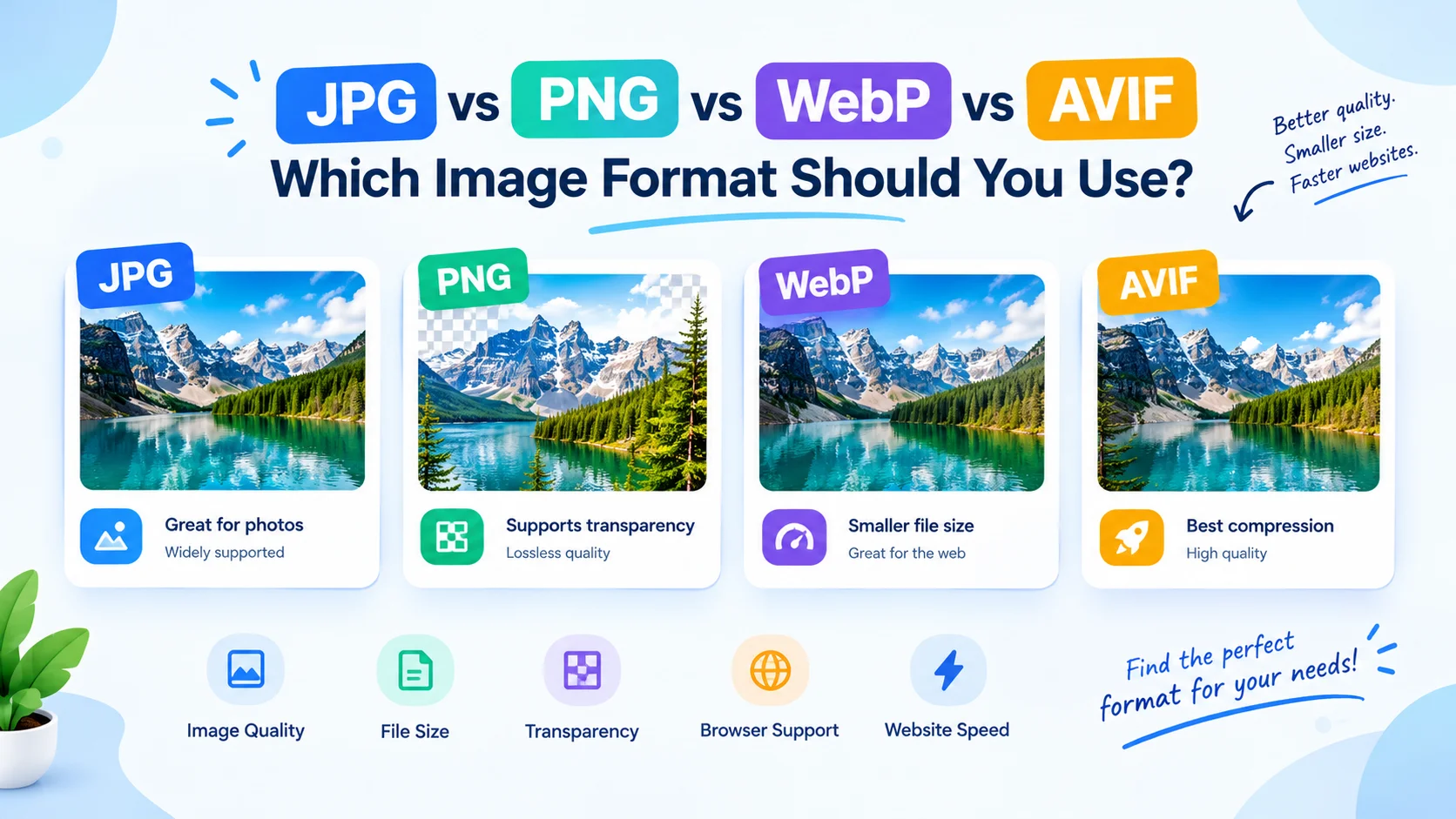
How to choose the right image format can impact the speed of websites, image quality, file size, SEO and user experience. There are various formats to choose from – JPG, PNG, WebP, AVIF and more – so it can be hard to decide which one to use.
In conclusion, JPG vs PNG vs WebP vs AVIF — which image format should you use?
It depends on the type of image, if the transparency should be included, what kind of compression is required and where the image will be used.
We are going to compare JPG, PNG, WebP and AVIF, discuss their pros and cons, and decide which image format is best for web pages, photos, logos, graphics and transparent images.
JPG vs PNG vs WebP vs AVIF: Quick Comparison
First a quick comparison of the various types of images:
Format | Compression | Transparency | Best For | Typical File Size |
JPG/JPEG | Lossy | No | Photos and complex images | Medium |
PNG | Lossless | Yes | Logos, graphics, transparency | Large |
WebP | Lossy/Lossless | Yes | Websites and modern images | Small |
AVIF | Lossy/Lossless | Yes | High-quality, highly compressed web images | Very Small |
The answer is no, there is no one “best” image format. Every format has a few advantages making it appropriate for various conditions.
WebP and AVIF are great options for many modern websites since they can deliver high-quality images at lower file sizes.
What Is JPG?
JPEG or JPEG is one of the most popular image formats on the web.
It is a lossy compression, meaning that some image data is discarded to reduce the size. With careful compression, JPG can be used to achieve high-quality images at a very low size.
JPG is particularly suited for photographs, landscapes, product images and other images with many details and colors.
When to Use JPG
When you need: use JPG
- Photographs
- Product images
- Travel images
- Blog photos
- Social media images
- Images containing a lot of colors.
- Smaller files that are sufficiently compressed.
- Broad compatibility
So, when is it suitable to use JPG? The answer is simple: when you need a photo for a purpose, and it doesn’t need to be transparent.
JPG Advantages
- Excellent for photographs
- Widely supported
- Simple and reliable
- Good compression
- Typically smaller in size than PNG for photos.
- Suitable for older systems and applications
JPG Disadvantages
- Does not support transparency
- Lossy compression can result in loss of quality.
- Artifacts can be added through repeated edits and saves.
- Typically lower quality than newer image formats like WebP and AVIF.
What Is PNG?
PNG: Portable Network Graphics. Generally, PNG files employ lossless compression; unlike JPG, no loss occurs in compression.
Lossless compression keeps all of the information from the image, which is useful for preserving image quality and detail, as is PNG.
PNG is one of the greatest strengths of the internet, and that is transparency support.
PNG is widely used for logos, icons, screenshots, illustrations, interface graphics and images with transparent background.
When to Use PNG
Use PNG when you require:
- Transparent backgrounds
- Logos
- Icons
- Screenshots
- UI graphics
- Illustrations
- Images with sharp text on the screen.
- Lossless image quality
When you need transparency or the optimum quality, PNG is the choice to make.
PNG Advantages
- Lossless compression
- Excellent image quality
- Supports transparency
- Great for graphics and screenshots!
- Retains the edges and texture
PNG Disadvantages
- Tends to be bigger than a JPG
- May be quite larger than WebP or AVIF.
- Not typically recommended for large photos.
- May add weight to pages when unneeded
What Is WebP?
WebP is a new image format, designed for the web. It can be used for lossy and lossless compression and can contain transparency.
The primary benefit of WebP is that it is able to deliver high image quality in a considerably smaller file than traditional JPG and PNG images in many cases.
This is why WebP is a favorite option for sites that don’t compromise on visual fidelity but aim for improved performance.
When to Use WebP
Use WebP for:
- Website photos
- Blog images
- Product images
- Transparent graphics
- Logos
- Thumbnails
- General website images
When considering when to use WebP, it is definitely a suitable broad-purpose option for contemporary web sites.
WebP Advantages
- Smaller size than many JPG and PNG files
- Supports lossy compression
- Supports lossless compression
- Supports transparency
- Good image quality
- Specially created for web use.
- Helps reduce page weight
WebP Disadvantages
- Not always small print!
- Encoding is a more complex process than traditional formats.
- There may be some specialized workflows that still opt for PNG or JPG.
What Is AVIF?
AVIF is a new image format using the AV1 image technology. It has been developed to be efficient with compression and high quality of images.
AVIF can support:
- Lossy compression
- Lossless compression
- Transparency
- High color depth
- Advanced image features
It has a number of benefits, most notably compression efficiency. AVIF often results in smaller file sizes than JPG or WebP, without compromising significantly on quality.
This makes AVIF particularly interesting for performance-focused websites.
When to Use AVIF
Use AVIF for:
- Modern websites
- Large photographic images
- Performance-sensitive pages
- High-quality compressed images
- Responsive web images
Images that need to be compact, like thumbnails.Images that are small, such as thumbnails.
When to use AVIF is a good question to have if you want to deliver images with high efficiency and your delivery environment is configured to do so.
AVIF Advantages
- Excellent compression efficiency
- Can create extremely small files.
- Supports transparency
- The support of lossy and lossless compression.
- Can keep a high visual standard.
- Suitable for websites that are designed to gain traffic.
AVIF Disadvantages
- Encoding may be more complex in terms of computation.
- There may be some compatibility issues when using some workflows
- Not always the most convenient format for each and every editing workflow.
JPG vs PNG: Which Is Better?
In the case of image type, the JPG format is the winner, and that’s the primary reason for the comparison.
JPG is typically used for photographs, PNG is for graphics with transparency or lossless quality.
JPG vs PNG Comparison
Feature | JPG | PNG |
Photographs | Excellent | Good |
Transparency | No | Yes |
Lossless compression | No | Yes |
File size for photos | Usually smaller | Usually larger |
Logos | Good | Excellent |
Screenshots | Good | Excellent |
Sharp text/graphics | Good | Excellent |
JPG or PNG – which is better?
While it’s a matter of debate whether JPG or PNG is better, there isn’t an absolute winner.
Use JPG for photos & large colorful images.
For transparent logos, screenshots, images and anything that requires a lossless image, use PNG.
JPG vs WebP
The JPG vs WebP comparison is particularly important for websites.
WebP can sometimes be the same level of quality as JPG but with a smaller size. This may help to minimize data browsers’ download.
WebP may thus be a valuable alternative for numerous images that are typically used as JPG in contemporary websites.
JPG vs WebP for Website Images
When deciding between JPG vs WebP for website images, take into account:
- File size
- Image quality
- Transparency requirements
- Browser support
- An image transfer protocol of your website.
- Existing image optimization workflow
WebP is a modern competitive alternative to JPG for many common types of photos found on websites.
JPG vs AVIF
The major point of comparison between JPG and AVIF is compression efficiency and the ease with which they can be used in the workflow.
AVIF is often can save lower file sizes than JPG at a comparable perceived quality. But, JPG is still very popular and handy.
JPG vs AVIF
Choose JPG when:
- The key is maximum compatibility.
- You are using older systems.
- You need an easy-to-use and compatible file format.
- File size isn’t something you need to worry about.
Choose AVIF when:
- A website’s performance is significant.
- You wish to compress the file with more efficiency.
- Your image delivery system has AVIF support.
- You want to reduce image file sizes
PNG vs WebP
The PNG vs WebP comparison is particularly helpful when dealing with transparent images.
Both formats allow transparency, however, WebP may be able to have a smaller file size while having good visual quality.
PNG vs WebP for Website Performance
When it comes to PNG or WebP for website performance, if you’re looking to reduce file size, WebP might be a better bet.
PNG might still be suitable in cases where:
- Lossless is required and must be exactly as it was inputted
- Are using some graphics or editing processes
- For a specific use, a widely adopted format is required.
When it comes to website delivery, though, unnecessarily large PNG files can be drastically optimized to a modern format to help deliver light-weight images.
PNG vs AVIF
The PNG vs AVIF comparison is similar, but in many instances, AVIF can compress much better.
When it comes to maintaining transparency in graphics and ensuring lossless image quality, PNG is still a valuable format. AVIF may be a good choice if your concern is website performance and file size.
AVIF vs PNG
Consider PNG when:
- You will require lossless graphics.
- You’ll need an editing format that you know.
- The workflow is of utmost concern.
Consider AVIF when:
- The smaller the file size, the better.
- You are optimizing the performance of your website.
- Your delivery system is compatible with AVIF.
- A modern compression system is your choice.
WebP vs AVIF – Which One is Better?
One of the most significant queries for today’s websites is the WebP vs AVIF comparison.
Both formats work great for streaming online, but AVIF may be even more efficient in compression.
However, smaller file size isn’t the only factor to consider.
WebP vs AVIF Comparison
Feature | WebP | AVIF |
Lossy compression | Yes | Yes |
Lossless compression | Yes | Yes |
Transparency | Yes | Yes |
Web optimization | Excellent | Excellent |
Compression efficiency | Very good | Often excellent |
Encoding complexity | Moderate | Higher in many workflows |
Best use | General modern web images | Highly optimized web delivery |
WebP or AVIF Which Is Better?
When deciding between WebP or AVIF, take into account the nature of your website and how you manage it.
WebP is a potentially useful, general-purpose compression format.
Using AVIF can be helpful in cases where size is a primary concern.
Do not automatically convert all images to AVIF, test image quality and file size of your images instead.
JPG vs PNG vs WebP
The JPG vs PNG vs WebP comparison can be broken down into:
JPG: Suitable for photos.
PNG: Good for graphics and transparency (lossless).
WebP: Best for many modern web images where quality and file size are both important.
If you have a regular website, you can use WebP as a viable alternative for a lot of the images that are JPG and PNG.
Which is the best: JPG vs PNG vs WebP vs AVIF?
With this we can now address the primary question of when to use JPG vs PNG vs WebP vs AVIF.
For each image there is no one format that is best.
Instead:
- JPG – photographs and general images
- PNG – which is transparent graphics, screenshots, and lossless images.
- WebP is a modern image format suitable for web usage and for general purpose web delivery.WebP is a modern image format for web usage and for general purpose web delivery.
- AVIF is a high-compression format of modern web images.
The choice will rely on your picture kind and efficiency needs.
Best Image Format for Web
So, what should be the best image format for web?
WebP and AVIF are popular options for modern websites, as they can help to minimize the size of image files without sacrificing quality.
But there are still some uses of JPG and PNG.
The ideal image formats for websites are dependent on the image:
Image Type | Recommended Format |
Photography | WebP / AVIF / JPG |
Product photography | WebP / AVIF |
Transparent logo | PNG / WebP / AVIF |
Simple graphics | PNG / WebP / AVIF |
Screenshots | PNG / WebP |
Large photographs | WebP / AVIF |
Transparent illustrations | WebP / AVIF / PNG |
Legacy compatibility | JPG / PNG |
Modern image formats like WebP and AVIF are significant choices for website images in 2026, yet they ought to be utilized once more for their image quality, compression, transparency, and conveyance prerequisites.
Best Image Format for Photos
There are a lot of colors in photographs, as well as gradients, textures and details.
Lossy compression formats may, therefore, be very effective.
Recommended options:
AVIF: Very good compression efficiency.
WebP: Great compression and quality trades.
JPEG: Standard and widely accepted.
When deciding which image format is best for photos, be sure to check the actual output at the level of quality you plan to use, and not just on the name of the image format.
Best Image Format for Transparent Images
Logos, icons, product cut-outs, illustrations, and site graphics should be transparent.
Traditionally PNG is used for transparent images, but WebP and AVIF can also be used for transparent images, with potentially much smaller files.
If you have a modern website, try:
- The PNG format supports lossless transparency.
- WebP for efficient transparent images
- AVIF for super compressed transparent images.
This is the reason why PNG may not be the optimal image type for transparent images.
Best Image Format for Logos
Logos often contain:
- Sharp edges
- Text
- Solid colors
- Transparency
- Simple shapes
PNG is a good choice, particularly for editing or updating a master version.
However, for web delivery WebP or AVIF might be a smaller file size.
When the logo is a vector logo, SVG can be extremely effective too.
Choosing the right image format for your logos will depend on the nature of your logo, whether it’s a raster or a vector logo and whether it needs to be transparent.
Best Image Format for High Quality Images
High-quality images don’t necessarily need to be extremely large.
The aim is to strike the balance between:
Image quality + file size + loading speed.
AVIF and WebP can provide excellent results when properly compressed.
When it comes to professional workflows, don’t forget to have a high-quality original or master version and an optimized version for website visitors.
Image File Size Comparison
Optimized image formats are used in modern websites for a variety of reasons, most significantly being file size.
This is a simplified example:
Original PNG → JPG → WebP → AVIF
The measurably file sizes may vary greatly as a result of:
- Image dimensions
- Image complexity
- Compression settings
- Quality settings
- Transparency
- Number of colors
- Encoder implementation
Thus, a comparison of the size of image files must always be done with the same image dimensions and size of the image approximately the same visual quality.
If the image quality deteriorates significantly even with a smaller file, then it is not necessarily a good choice.
Image Quality Comparison
The image quality comparison should be based on what visitors see.
Here are some factors to consider when comparing JPG, PNG, WebP and AVIF:
- Fine details
- Text
- Edges
- Gradients
- Shadows
- Skin tones
- Textures
- Transparency
- Compression artifacts
Two files can be of vastly different sizes, but appear nearly identical to a visitor.
That’s one reason why it’s essential to do a visual test when choosing image compression formats.
Image Compression Formats Explained
There are basically two types of image compression formats:
Lossy Compression
Lossy = discards some information to get a smaller file.
Examples include:
- JPG
- WebP
- AVIF
Lossy compression may offer a very high reduction ratio, especially when it comes to photographs.
Lossless Compression
Lossless compression = saves image data.
Examples include:
- PNG
- WebP
- AVIF
If precise image data is required, lossless compression is helpful.
The ideal solution really will depend on your picture and what you are intending to make use of it for.
Best Image Format for SEO
No one image format is superior by itself to achieve better search rankings.
But, optimizing images can help improve website performance and user experience.
Appropriately compressed images can help to reduce:
- Page weight
- Download time
- Bandwidth usage
- Mobile loading time
That’s why it’s best to use the format that balances quality and file size for the image you are looking at.
There are also some other things that should be optimized:
- Image dimensions
- Alt text
- File names
- Responsive images
- The Lazy Loading technique will be used where applicable.
- Image compression
- Image delivery
- Cumulative page performance
Just converting all images to AVIF or WebP does not make a website SEO-friendly.
Best Image Format for Website Speed
Slow web pages are often caused by large images.
Pages with multiple high resolution JPG/PNG graphics can add up.
Efficient formats like WebP or AVIF can aid in minimizing image payloads.
To enhance website speed:
- Scale images to fit the desired size.
- Compress images appropriately.
- Use contemporary formats as appropriate.
- Serve responsive images.
- Don’t use unnecessarily large images.
- Lazily load relevant images below the fold.
- Check the real performance of the page.
Selecting the optimal image format for a website’s speed is just the initial step of a comprehensive image optimization plan.
How to Choose the Right Image Format
When selecting an proper image format, you may need to ask yourself these questions:
- Is the image a photograph?
Consider using JPG, WebP or AVIF.
- Does the image need transparency?
Try PNG, WebP or AVIF.
- Is the image a screenshot?
PNG or WebP will work fine.
- Is the image primarily for a website?
WebP or AVIF formats may be good options.
- Is compatibility your main concern?
JPG and PNG are still very useful.
- Is the smallest possible file size important?
Test WebP and AVIF.
- Does the image contain text or sharp graphics?
Make comparisons between PNG, WebP and AVIF for appropriate quality levels.
How to Reduce Image File Size Without Losing Quality
For a smaller image file size without compromising quality, begin with the image dimensions.
If the image is 4000 pixels wide, but you’re only using 800 pixels on your website, you don’t have to keep the image 4000 pixels wide, because the person viewing the site wouldn’t see that.
Follow these steps:
- Resize the picture to a suitable size.
- Select an effective format.
- Adjust compression quality.
- Compare the result visually.
- When appropriate, strip away any extraneous metadata.
- Test image on desktop & mobile.
- Utilize responsive image delivery.
It isn’t just about making the smallest file.
The objective is to make the smallest size possible that still looks good.
JPG or WebP Which Is Better?
WebP is a good option to consider using for many recent website photos, in that it can offer efficient compression without compromising quality.
Yet, JPG may be helpful in the following situations:
- Compatibility is important
- There are existing systems for which JPG is required.
- You will need a very basic and common format
If you are creating a new website, try both with your actual photos.
PNG vs WebP – What’s Best?
WebP can often compress the size of a website’s graphics while maintaining transparency, which can be useful in this area.
PNG is still useful if:
- Lossless must be used for output
- You need a particular editing workflow
- You are working on a master image
- The appropriate application is important for compatibility
When deciding on web delivery, use the real picture quality and file size.
AVIF or WebP Which Is Better?
It’s up to you to choose the option that best fits your needs: AVIF or WebP.
Use WebP when:
- Efficient compression
- Modern web format, with practical implementation.
- An easy image optimization process
Select AVIF when you wish to choose:
- Very efficient compression
- Smaller image payloads
- Modern high-quality web delivery
When in doubt, it’s best to try both with your own photos.
WebP vs JPEG
Another popular comparison for website owners is WebP vs JPEG.
While JPEG is a good option for photos, WebP may be able to produce smaller file sizes without sacrificing quality.
Converting suitable JPG images to WebP could be one way to decrease image payloads for an existing site optimized for web.
AVIF vs JPEG
In general, AVIF outperforms JPEG in compressing images.
But JPEG is useful due to its simplicity, familiarity and widespread acceptance.
You don’t have to get rid of JPEG on modern websites. Rather, use the format which is most appropriate for each image/delivery situation.
AVIF vs PNG
The main considerations when it comes to AVIF vs PNG are transparent images and graphics.
Good lossless compression and transparency are available for PNG.
AVIF may be able to achieve much smaller files sizes while maintaining transparency.
To check the website performance, test both formats with same visual quality.
Which Image Format Should I Use?
So, which image format should I use?
Follow this easy-to-follow guide:
Use JPG when:
- You’re working with photographs.
- Transparency isn’t needed.
- You need to have a format that’s widely compatible.
- Moderate compression is ok.
Use PNG when:
- You need transparency.
- Lossless quality is required.
- You are using screenshots or graphics.
- Important are sharp text and edges.
Use WebP when:
- Optimizing images for a modern website.
- It is desirable to have a good quality/volume ratio.
- You need transparency.
- You need to deliver web applications effectively.
Use AVIF when:
- File sizes and file sizes are a key issue.
- You’re optimizing modern website images.
- High compression efficiency is desired.
- Your image delivery system is configured correctly.
JPG vs PNG vs WebP vs AVIF: Final Winner
There is no single winner to the JPG vs PNG vs WebP vs AVIF challenge.
The formats have varying functions.
- For photos and compatibility JPG is perfect.
- PNG still has uses for lossless graphics and transparency.
- WebP is a superb combination of image quality, file size, and web delivery that’s up-to-date.
- AVIF can be very efficient in compression and is especially beneficial to performance-oriented websites.
When deciding on the best format to use in web images, don’t just go with the popular choice. Try out your real photos and see how they compare with respect to quality, size, dimensions and speed of loading.
Some sites today use a hybrid of formats.
Quick Image Format Cheat Sheet
Your Requirement | Format to Consider |
Photo | JPG / WebP / AVIF |
Small web photo | WebP / AVIF |
Transparent logo | PNG / WebP / AVIF |
Screenshot | PNG / WebP |
Lossless graphic | PNG / WebP / AVIF |
Maximum compression | AVIF |
General web image | WebP |
Maximum legacy compatibility | JPG / PNG |
High-quality photograph | WebP / AVIF |
Transparent web graphic | WebP / AVIF / PNG |
Frequently Asked Questions
Is JPG better than PNG?
There is no one right or wrong format. Usually, jpg would be used for photographs and PNG for transparent and lossless graphics.
Is WebP better than JPG?
For modern websites, WebP can be a viable option for getting a smaller file size with comparable visual quality. JPG continues to be useful for compatibility and workflow.
Is AVIF better than WebP?
While AVIF can achieve high compression rates, WebP may be more compatible with certain workflows. This will rely on the images you’re using, the quality you need, and how your website is configured.
Should I use WebP or AVIF for my website?
These are both contemporary choices. Use your own photos to test them and select which one will provide you the best image quality, file size and delivery speed.
What is the best image format for photos?
The same website doesn’t necessarily have the best format for each site. WebP and AVIF are excellent choices for many modern Web images, whereas JPG and PNG are valuable for certain applications.
What is the best image format for transparent images?
Photos are good candidates for both JPG and WebP images, as well as AVIF images. WebP and AVIF can offer better compression than JPG can, and JPG has great compatibility.
Should I convert all PNG images to WebP?
Transparency is possible for PNG, WebP and AVIF. In many situations, WebP or AVIF can provide smaller file sizes than PNG, which is good for website performance.
Does image format affect SEO?
Not necessarily. Check the quality of the image converted and file size first. Some PNG graphics may get a great boost, others might not.
Will the image format impact SEO?
The image format can indirectly impact SEO because of its effects on page performance and user experience. But, image format is not enough to ensure a better ranking.
How can I reduce image file size without losing quality?
Resize images as needed, save in an efficient format, select proper compression and compare the output visually before publishing.
Is JPG still useful in 2026?
Yes. JPG is a good image format for photography and where compatibility is key. New image formats like WebP and AVIF offer other choices for image optimization for the web.
Conclusion
By knowing the differences between JPG, PNG, WebP, and AVIF, you can make the right decision for each image you include in your website.
Keep in mind the golden rule:
JPG for photos, PNG for lossless graphics and transparency, WebP for optimized general web delivery, and AVIF for optimized modern image delivery.
The optimal image format for your website in 2026 will depend on the specific image and performance needs. Do not use one format for all your media, opt for a format that will provide the best quality, transparency, compatibility and file size.
With proper optimization, your images can appear attractive and consume much less bandwidth and load your pages more efficiently.
