
How to Merge Multiple PDFs Into One File
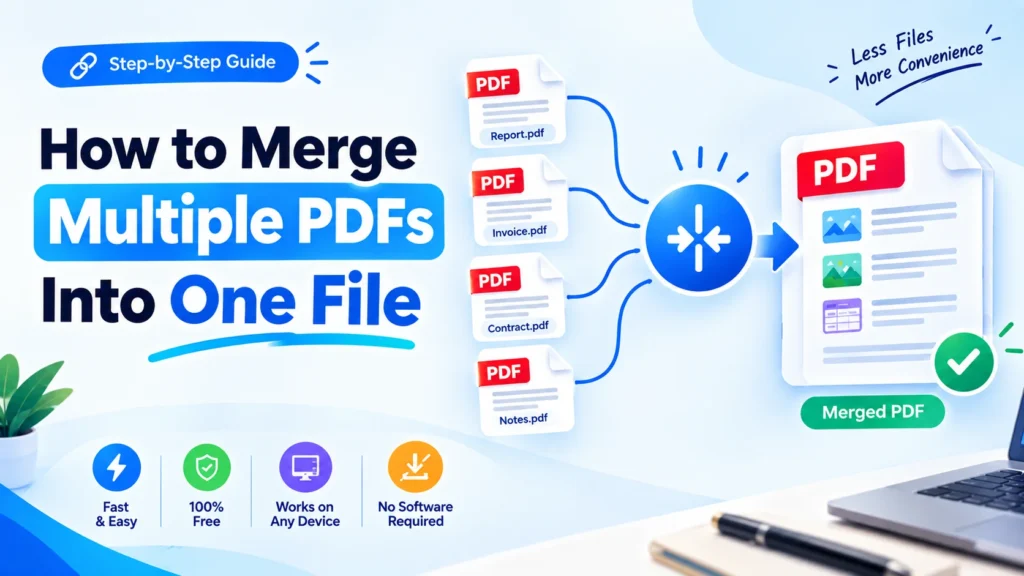
Managing multiple PDF documents can easily become cumbersome, particularly if you have to send or upload several PDFs simultaneously, or if you need to organize multiple PDFs at once. You can merge multiple PDF files into a single file, rather than having to deal with multiple files.
PDF Merge is an easy tool for merging documents, including: Reports, Invoices, Scanned images, Applications, Forms. This tutorial will show you how to combine several PDFs into a single document, how to merge PDF online and how to combine documentation without involving complex software.
Merge PDF : https://freeconverterlab.com/merge-pdf/
How to Merge PDFs?
PDF Merge is a process that involves combining two or more PDF files into one PDF file. All the pages of each chosen file are combined together in a certain sequence and saved as a new PDF file.
If you have, for instance:
- Resume.pdf
- Cover-Letter.pdf
- Certificates.pdf
- References.pdf
The PDF files can be merged together to form a single PDF with all of these documents.
This can be much easier to do than manually working with separate files, with a PDF merger, PDF combiner, or PDF joiner.
Why Merge Multiple PDFs Into One File?
PDFs can be merged in numerous scenarios.
Easier file sharing
You can send one PDF attachment with all necessary documents in it instead of several attachments.
Better organization
Putting together similar documents into a single file simplifies storage, retrieval and management.
Faster submissions
Some websites only allow one document upload. Combining the files together means that you can upload all of them in one PDF.
Professional document management
Presenting business documents, reports, or applications in one, coherent PDF can appear neat and professional.
Convenient printing
If you have more than one document linked, you can print all the documents as a whole, rather than opening each one.
How to Merge Multiple PDFs Into One File?
Merging PDF files into one is easy and can be done with an online PDF merging tool.
Step 1: Select Your PDF Files
Gather all the PDFs you would like to merge together.
Name them before uploading them to make it easy to recognize. This is particularly helpful when you have many documents.
Step 2: Open a PDF Merger
Find a good merge PDF software that supports multiple PDFs.
An online tool is especially great as it permits you to combine PDF documents without software or intricate installation.
Step 3: Upload Multiple PDFs
Upload PDF files that you want to join.
There are lots of PDF merging tools that will merge several files into one. You will then be able to see the files before producing the final document.
Step 4: Arrange the PDF Order
The sequence of your files is important.
Then, drag and move the documents around so that they are in the order you want. If you make an application, for instance, you may organize your records as follows:
- Cover letter
- Resume
- Educational certificates
- Experience documents
- References
This allows you to merge several PDF documents into a single document that is organized.
Step 5: Merge the Files
When the files have been arranged in proper order, click the merge/combine button.
The PDF merging tool works on the selected PDF files and generates a new PDF file having all the pages.
Step 6: Download the Combined PDF
Once this is done, download your new PDF and open it to check the order of the pages and contents.
The process is very easy and convenient, so that users can combine PDFs into a composite file for free without the need to copy the pages between PDFs.
How to Merge PDFs Online for Free
An online PDF merger is one of the easiest ways to merge PDFs online for free.
You don’t need to install desktop software. Just open the tool in your browser, upload your files and arrange them and then merge.
A competent PDF merging tool online ought to offer:
- Multiple file uploads
- Easy file reordering
- Fast PDF processing
- Simple downloading
- Mobile-friendly functionality
- Secure file handling
- No unnecessary registration
- The final PDF won’t include any watermark.
That allows you to combine PDF paperwork online free from nearly any gadget.
How to Combine Multiple PDFs Into One File
The process to merge several PDF files into a single file is quite simple:
Upload → Arrange → Merge → Download
For instance, if you have five pdf files, you can upload them all, put them in the specific order and make one pdf file.
When you’re merging PDFs for work, school, applications, business records or online submissions, this can be very helpful.
Merge PDF Files Without Losing Quality
One of the foremost issues that people often have is that they don’t know if the merging of PDFs will impact the quality of the original files.
Generally, it is not necessary to lower image resolution when merging PDF pages. There is a suitable PDF combiner that will combine the existing pages into a single PDF without altering any text, image or page appearance.
If you wish to combine PDFs without losing any quality, you ought to use a PDF combination tool that only concentrates on combining and not on re-compressing the PDF document in needlessly.
Prior to sharing a final PDF, review:
- Text readability
- Image quality
- Page dimensions
- Page order
- Links
- Tables
- Overall document appearance
How to Merge PDF Files Without Software
You don’t necessarily need Adobe Acrobat or another desktop application to combine documents.
PDF Unlocker can utilize a browser-based PDF Joiner that enables you to join PDF files without the software. It can be helpful when working on a shared computer, mobile device, or computer that doesn’t allow the installation of applications.
Typical process is:
- Open the PDF Merger application.
- Upload PDF files.
- Sort out the pages or files.
- Select merge.
- Please download the final PDF.
This is an easy and convenient way to handle PDFs on a daily basis.
Merge PDF Files on Mobile
On the other hand, if you’re on a smartphone or tablet, you can combine PDF files via a browser-based PDF merging service.
Mobile PDF merging may be helpful if you receive multiple documents by email or messaging apps, and want to send them all as a PDF file.
For instance, you may merge your resume, certificates, identification papers and cover letter into one PDF directly from your mobile phone.
When working with important documents, always review the final document before submitting.
Common Reasons to Merge PDF Files
Merge PDF for Job Application
A resume, cover letter, certificates and supporting documents might be required for job applications. They can be combined and submitted in one file if it’s required to submit just one attachment.
Merge PDF for Email
You can merge PDF for email and send one organized document rather than attaching more than one to an email.
Merge PDF for Submission
Some online forms and portals may only allow one document to be uploaded. This can be overcome by combining the necessary files.
Combine Invoices Into One PDF
To accomplish this, businesses can merge all invoices into a single PDF to be preserved, accounted for, or distributed to clients.
Combine PDF files that have been scanned.
You can combine multiple PDF files into a single document if you’ve scanned multiple documents individually.
How to combine pdfs without Adobe?
Yes. To merge PDFs without Adobe, you can use an online PDF merging tool.
When you only need basic PDF functions and aren’t in favor of installing any special software on your desktop, you can use online tools.
But if you’re handling sensitive documents, always check the security and privacy policies of the service before uploading files.
Combine PDF Without Sign up and Without Watermark.
Others want a PDF merger that allows them to merge PDF without signing up and get the merged PDF without any unwanted restrictions.
There is also a convenient tool that can help to combine PDF without watermark online free, so the final document would not be tainted and would be cleaned and professional.
These features are especially helpful in a resume, job application, business documents, invoice, and official submissions.
Tips for Combining PDF Files
Here are some tips to keep in mind when merging PDF files online:
1. Organize files first
Arrange your documents in order to be merged.
2. Use descriptive filenames
Clear filenames allow documents to be identified when uploading.
3. Check page orientation
Ensure that portrait and landscape pages are displayed in a proper format in the final document.
4. Review the final PDF
Never send or submit a combined document without previewing it.
5. Preserve the original documents
Be sure to retain copies of your original PDFs if you want to reorder or combine them again in another way.
Frequently Asked Questions
1. How do I merge multiple PDFs into one file?
Upload PDF documents, organize them in order, click on merge and download the merged PDF.
2. Can I merge PDFs online for free?
Yes. PDF merging online is a service that facilitates merging PDFs directly in your browser, without any need for desktop applications.
3. How can I combine PDF files into one PDF?
Put the files in a PDF combiner, put them in order and choose the merge option to combine into one PDF.
4. Can I merge multiple PDF files online?
Yes. Online PDF merger will allow you to combine a number of PDF documents on-line without software installation.
5. Can I merge PDFs without losing quality?
Yes. A good PDF joiner will be able to merge pages without losing the text, images or appearance of the document.
6. Can I merge scanned PDFs?
Yes. The PDFs can be combined into one document if the PDFs are already scanned.
7. Can I merge PDFs on my phone?
Yes. A great many PDF tools are used via the mobile browsers and can be used to combine pdf documents on a mobile phone or tablet computer.
8. Can I merge PDF files without Adobe?
Yes. PDF merging online can merge PDFs without the need of Adobe Acrobat.
9. Can I merge PDFs without signup?
There are online PDF merging tools that will permit users to merge PDFs without any registration. Before upload, please review the requirements for each tool.
10. How many PDF files can I combine?
This varies based on the PDF merging tool you are using as well as the limitations of the PDF upload tool. Some tools can work with several files at the same time.
Final Thoughts
Combining multiple PDF documents into a single file can be very useful for managing documents. Combine all of your documents into one PDF; it saves time and keeps things organized, whether you are preparing a job application, submitting documents, organizing invoices, or sending a few files by email.
You can merge PDF online, arrange your documents with the help of online PDF merger and create a single PDF file without any complicated software. You can also merge PDFs, scan PDFs and even create PDFs from important documents on your mobile device or computer.
The most important thing to remember is to organize your documents properly and proofread your work when sharing or submitting.
You might want to combine multiple PDFs into a single file and the steps might be as easy as upload, arrange, merge and download.
