
How to Fix Common JSON Syntax Errors
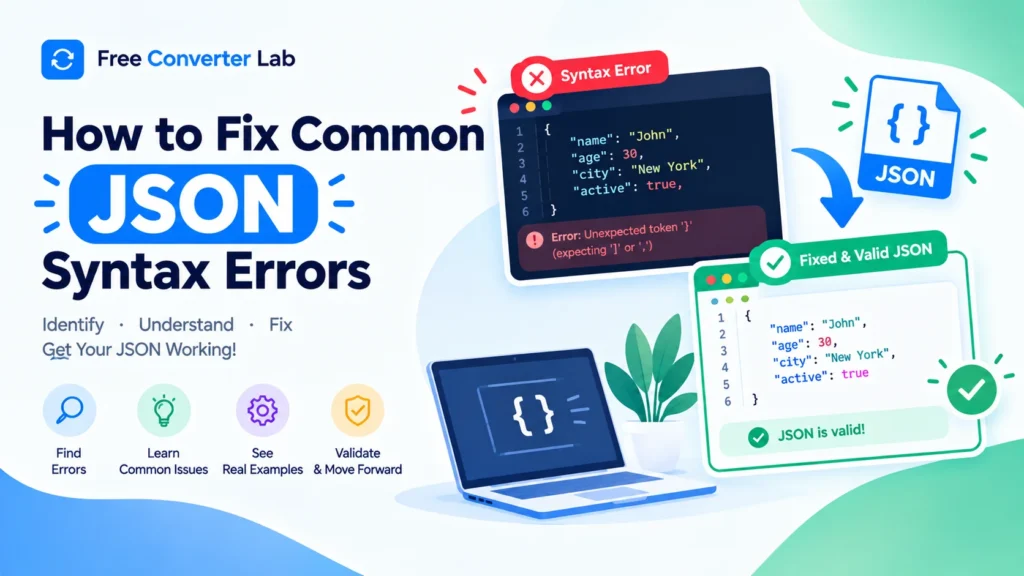
JSON (JavaScript Object Notation) is a popular data format used to exchange information between websites, applications, servers, and APIs. Lightweight, easy understanding and supported by many programming languages. But any incorrect use of quotes, commas or any other punctuation can make a document in JSON format invalid.
Whether you’ve ever encountered an error loading API responses, editing a configuration file or processing structured data, learning how to fix JSON syntax errors can save you time and frustration.
This guide will teach you about some of the common errors that occur in JSON, how to detect those errors and fix them, and how to use an online JSON syntax checker or JSON validator to quickly fix invalid JSON.
JSON Formatter : https://freeconverterlab.com/json-formatter/
What are JSON Syntax Errors?
JSON syntax errors are when data does not conform to the rules of the JSON format. Before an application can process your JSON, you need to validate it before you begin using a parser to examine its structure. The parser may return an error if the syntax is invalid rather than reading the data.
Some typical JSON errors are:
- Omitting commas between properties or elements in the array.
- Incorrect or missing quotation marks.
- Additional comma at the end of object or array.
- Incorrect brackets/bracing.
- Wrong use of true, false or null.
- Unsupported value(s) or invalid comment(s).
- Absence of colon(s) between property name and value.
For instance, this JSON is not valid because it does not include a comma between two properties:
{
“name”: “Alex”
“age”: 28
}
The corrected version is:
{
“name”: “Alex”,
“age”: 28
}
A JSON parser can read the object when the missing comma is added, eliminating the syntax error.
Why Is My JSON Invalid?
In case you are asking why is my JSON invalid? It is frequently a small punctuation or formatting error. However, JSON has more strict rules to follow than JavaScript object literals, so what works in JavaScript might not work in JSON.
For instance, JSON needs to use double-quotes for property names and string values. Also, it does not support comments, functions or trailing commas.
To remedy these issues, it is important to know the rules, or use a JSON syntax checker to discover the issues.
10 Common JSON Syntax Errors and How to Fix Them
Let’s take a look at the most frequent errors that can occur with JSON, along with the wrong and right versions.
1. Missing Commas Between Properties
Properly, properties within a JSON object and items within an array are separated by commas. It’s often forgotten, and that’s a common cause of JSON parsing errors.
Incorrect JSON:
{
“name”: “Sarah”
“age”: 25,
“city”: “London”
}
Correct JSON:
{
“name”: “Sarah”,
“age”: 25,
“city”: “London”
}
To correct missing commas in JSON: Review properties in objects and elements in arrays. Use commas between items on a list but don’t use a comma at the end of the list.
2. Missing Quotation Marks
Property names and string values in JSON must be in double quotes. Single quotes can not be used as string delimiters in JSON.
Incorrect JSON:
{
‘name’: ‘David’,
“city”: “New York”
}
Correct JSON:
{
“name”: “David”,
“city”: “New York”
}
To correct missing quotation marks in JSON: Place double quotation marks around each property name and string value. Ensure that the opening and closing quotes are the same.
3. Trailing Commas
Commas are used after the last property in an object, and after the last element in an array. It is not possible in standard JSON.
Incorrect JSON:
{
“name”: “Emma”,
“age”: 30,
}
Correct JSON:
{
“name”: “Emma”,
“age”: 30
}
To remove trailing commas from a JSON: Just delete the trailing comma before the closing brace or bracket. Examine also nested objects and arrays.
4. Mismatched Brackets and Braces
JSON objects are surrounded by curly braces, {} and arrays are surrounded by square brackets, []. All brackets need to be paired and the type of brackets must match.
Incorrect JSON:
{
“products”: [
“Laptop”,
“Phone”
}
}
]
The last square bracket is additional.
Correct JSON:
{
“products”: [
“Laptop”,
“Phone”
]
}
Mismatched brackets in JSON: For each opening brace or bracket, there must be a closing brace or bracket. A JSON formatter can help make nested structures easier to view.
5. Missing Colons Between Keys and Values
Property names and their values are separated by a colon. It’s required otherwise the JSON object is invalid.
Incorrect JSON:
{
“name” “Michael”,
“age”: 32
}
Correct JSON:
{
“name”: “Michael”,
“age”: 32
}
What it means: Ensure that there is a colon after each property name and before each property value.
6. Using Invalid Values
JSON can contain only strings, numbers, objects, arrays, booleans or null. It doesn’t support values such as undefined, NaN, or function definitions.
Incorrect JSON:
{
“name”: “Olivia”,
“active”: True,
“score”: undefined
}
Correct JSON:
{
“name”: “Olivia”,
“active”: true,
“score”: null
}
The boolean value in JSON should be in lowercase, such as true and false. When a JSON value is meant to indicate the absence of a value, use null. Just keep in mind that null and undefined are not synonymous in all uses.
7. Using Comments in JSON
There are no single line and/or multi-line comments in standard JSON.
Incorrect JSON:
{
// User details
“name”: “Daniel”,
“age”: 27
}
Correct JSON:
{
“name”: “Daniel”,
“age”: 27
}
Solution: Make sure there are no comments in the JSON file and place explanatory notes in an external document. JSON is not a standard configuration format, since some configuration formats support comments.
8. Incorrect String Escaping
Any special characters within JSON strings need to be escaped properly. For instance, quotation marks within a string must be preceded by a backslash.
Incorrect JSON:
{
“He said ‘Hello’”
}
Correct JSON:
{
The message is: “He said hello”
}
The backslash character is also used for escapes like \\ to get a backslash in the string or \n to get a newline in the string.
How to correct it: Correctly escape quotation marks and backslashes, and don’t put unescaped control characters in strings.
9. Incorrect Nested JSON Structure
Handling nested objects and arrays can sometimes be challenging, especially when dealing with large JSON files. If you get a missing closing bracket or comma in one of the nested structures, the entire file can be invalid.
Incorrect JSON:
{
“user”: {
“name”: “Sophia”,
“address”: {
“city”: “Paris”,
“country”: “France”
}
,
“active”: true
}
Correct JSON:
{
“user”: {
“name”: “Sophia”,
“address”: {
“city”: “Paris”,
“country”: “France”
}
},
“active”: true
}
How to resolve nested JSON object errors: Check each object and array in the JSON by using indentation. Ensure that all the nested objects end before the next property starts.
10. Invalid JSON Numbers
Numbers in JSON should be used in a particular order. Leading zeros in ordinary integer notation are not allowed in numbers, and numbers like NaN and Infinity are not valid JSON numbers.
Incorrect JSON:
{
“quantity”: 007,
“price”: Infinity
}
Correct JSON:
{
“quantity”: 7,
“price”: null
}
If your application does not have a value for price, use null. Otherwise, give a finite number which is valid.
What to do to correct it: Test for leading zeros, invalid symbols, and unsupported values (numeric values). Be sure that the corrected values are still within the scope of your application’s needs.
How to Fix JSON Syntax Errors Online for Free
An online JSON validator is the easiest method to troubleshoot invalid JSON. No need to do manual inspection of all the characters or install extra software to check characters.
To check for any JSON syntax errors online, follow these steps:
- Make a copy of your data in JSON format. Retrieve the JSON from your API response, configuration file, application or code editor.
- Open an online JSON validator.Open an online JSON validator. Select a tool to validate a JSON that verifies the syntax and provides useful error messages.
- Copy and paste the JSON data in the input field. Be sure to copy the entire document.
- Validate the JSON. Click the Validate, Check, or Format button (depending on the tool).
- Check the error message. Search for the reported line, column or unexpected token.
- Correct the invalid syntax. Inspect commas, quotes, colons, brackets and values.
- Validate it again. Continue repeating the step until the validator says that the JSON is syntactically correct.
Common errors can be easily discovered using a free online JSON validator. Others even have a JSON beautifier and validator for formatting the corrected information for easy readability.
If data is sensitive or confidential, use a trusted offline tool (unless you know how the online service treats the information that you submit).
How to Find JSON Syntax Errors Quickly
If an error occurs in a JSON parser, the parser can return a pointer to the exact error location or give a hint on what went wrong. These methods can make it easier for you to determine the cause in a quicker time.
Read the Error Message
The error “unexpected token” is likely to mean that the parser has read a character or value that it does not expect at that point in the file. It might be the cause of a missing comma, an extra bracket or an incorrect quotation mark.
The error message is a hint, not a diagnosis. It may be the real error, which can show up just before the reported position.
Check the Line and Column Number
If the parser for the JSON file reports a line, then check that line first. Look at the characters before you since an error later in the document could be caused by a missing comma or quote.
Format the JSON
A JSON formatter online can insert line breaks and indentation to a small JSON document. This makes it easier to view nested objects and arrays.
Validate Small Sections
If it’s a very large JSON file, consider narrowing down the object or array that contains the error. If possible, accept a smaller portion that is a valid portion of the JSON value.
Check Recent Changes
If it was working prior to the edit, check the latest edits that were made. The problem might be caused by a new added property, a deleted comma or an unescaped quotation mark.
These techniques can help diagnose issues with JSON, particularly with large API responses or complicated configuration files.
How to correct JSON parsing errors in API Response
There are many reasons why a parsing error may happen when dealing with JSON: If an API returns an invalid JSON, or if your application was expecting JSON and actually received something else.
Common causes include:
- An HTML response returned from the API.
- A Web server that displays an error message page.
- An error occurred while making a JSON response on the server.
- Additional text prior to or following the JSON response.
- Incorrectly escaped string values.
- A blank or inadequate answer.
Steps to Troubleshoot API JSON Errors
- First check the raw response body.
- Look at the HTTP status code and response headers.
- Make sure that the answer is not an HTML error page or plain text, but a valid JSON answer.
- Copy the answer to a JSON syntax checker.
- Fix the JSON in the source if at all possible.
- Ensure that your application deals with errors and unusual responses appropriately.
For instance, if this is the response returned by an API:
Unexpected server error
It is not a valid JSON. Don’t change your parser setting as this will not correct the response. The server should respond with valid JSON or the application should deal with the non-JSON response accordingly.
When dealing with JSON syntax errors in API responses, make sure to determine if it is a JSON error or some other application/network error.
JSON Syntax Checker vs JSON Formatter: What’s the Difference?
There are two types of tools that can be used: JSON syntax checker and JSON formatter; some tools have both functions.
Tool | Main purpose | When to use it |
JSON syntax checker | Checks whether JSON follows syntax rules | When JSON fails to parse |
JSON validator online | Validates JSON syntax and, sometimes a specified schema | When checking correctness or required data structure |
JSON formatter online | Adds indentation and line breaks | When JSON is difficult to read |
JSON beautifier | Makes JSON easier to inspect | When reviewing nested objects and arrays |
JSON minifier | Removes unnecessary whitespace | When compact JSON output is needed |
Syntaxed code is not always corrected by a formatter. Some tools check validity of input before formatting, others display error and prompt to fix it before formatting.
A JSON validation tool that will format and beautify valid JSON can be a useful option for everyday development.
How to Prevent Common JSON Errors
It’s good to correct mistakes, but it’s better to avoid them altogether. Here are some simple practices to follow when creating or editing JSON.
- Property names must be enclosed in double quotes, as must any string value.
- Use commas between array elements and properties, but not after the last element or property.
- Ensure that every opening brace/bracket is matched.
- Only use valid JSON values; strings, numbers, true, false, and null.
- Escape quotation marks, backslashes within strings.
- Don’t include comments in regular JSON files.
- Use a JSON syntax highlighted code editor.
- Verify JSON before it’s sent to an API or configuration file.
- If your application needs to have certain fields and data types, use automated tests or schema validation.
These habits can help decrease the number of errors in JSON code and increase the reliability of your workflow.
Conclusion
Understanding how to correct errors related to syntax in JSON is a crucial skill for anyone dealing with APIs, Web applications, configuration files, or structured information. In most cases, JSON fails due to missing commas, bad quotation marks, trailing commas, mismatching brackets, or invalid values.
Review the parser’s error message, look at the reported line, and examine the reported line’s syntax. Next check the corrected information is in proper JSON syntax with an online JSON syntax checker or validator.
A JSON formatter online can also help break down complex structures into more comprehensible pieces, and a JSON beautifier and validator can be used to ensure readability and syntax validation.
With these efforts, you’ll be able to catch errors sooner, prevent needless debugging, and be more confident about dealing with JSON.
Frequently Asked Questions (FAQs)
1. How do I fix common JSON syntax errors?
Check for missing commas, incorrect quotation marks, trailing commas, missing colons, mismatched brackets, and invalid values. Use a tool that checks the syntax of a JSON document to find the issue, fix it, and re-check the syntax.
2. How can I check JSON syntax errors online for free?
Put your JSON in a free online JSON validator and choose its validation. If there are error messages, check them, correct any syntax errors and re-validate.
3. Why is my JSON invalid?
The JSON might be invalid due to missing commas, single quotes, trailing commas, mismatched brackets, comments, or unsupported values like undefined. JSON parsers are strict syntax parsers.
4. How do I fix missing commas in JSON?
Separate adjacent properties in an object with a comma or elements in an array. Don’t put a comma after the last property or item.
5. Can I fix invalid JSON without coding?
Yes. An online JSON syntax checking tool is useful for finding errors and an online JSON formatting tool is useful for formatting the structure for inspection. There may be situations where you still need to fix the invalid syntax by hand.
6. What is the difference between a JSON validator and a JSON formatter?
A validator is used to determine if the JSON is valid and a formatter is used to make the JSON easier to read by adding indentation and line breaks. A few tools offer both options.
7. How do I fix JSON unexpected token errors?
Check the reported location and the surrounding letters just to the left of the reported location. Unexpected token errors can be caused by the lack of a comma, addition of extra brackets, invalid value, mismatched quotes, or non-JSON text in the input.
8. How do I fix mismatched brackets in JSON?
Make sure there are matching curly braces and matching square brackets. Use indentation in the JSON to make nested structures easier to read.
9. Why does my API return a JSON parsing error?
The reply can be an invalid JSON, HTML, plain text, incomplete body or unexpected server error. Before attempting to parse the raw response, inspect it and see if it is valid.
10. What is the best free online JSON validator and formatter?
Select a JSON syntax validator that can describe errors, format valid JSON, and that copies the resulting JSON easily. If your data is sensitive, you can use a trusted offline tool, or check the privacy policies of online services before you provide your data.
