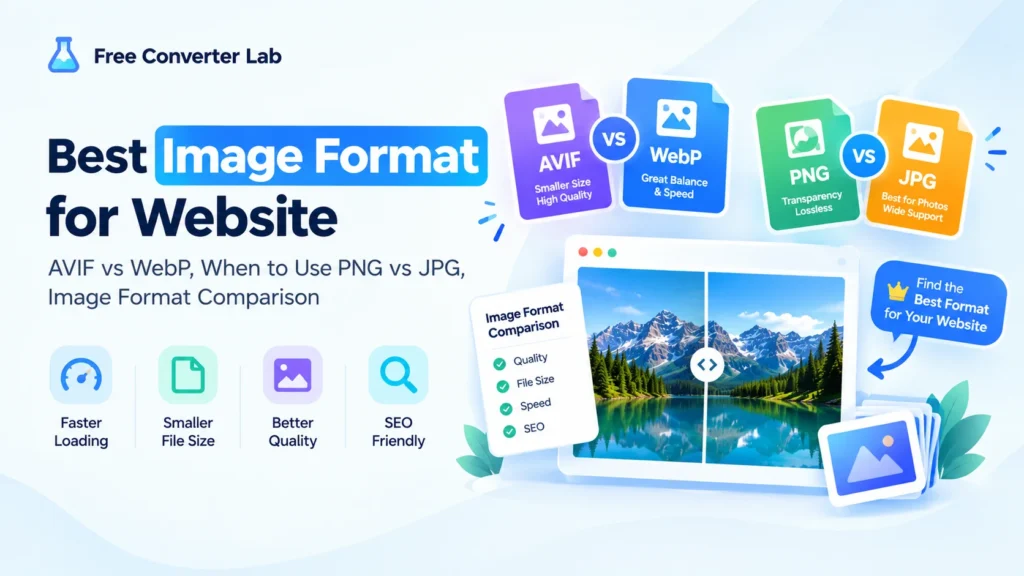
Best image format for website, avif vs webp, when to use png vs jpg, image format comparison
When deciding on the best image type for a website, users can gain significant benefits in image quality, file size, loading speed and overall user experience. There are a variety of image file formats today, including JPG, PNG, WebP, and AVIF, and it can be hard to decide which to use.
So, what’s the difference between AVIF and WebP? What are the times you should use PNG vs JPG? All the time, is WebP better than JPG? Which format is the best compromise between being large and being of high resolution?
This image format comparison describes the differences between the most popular image formats for Web projects and guides you in selecting the best image format for a Web project.
Why is the image format important for websites?
Often, one of the biggest files that is loaded by a web page is an image. Many images that are not optimized for the web can make a page heavier and load slower.
Selecting the right format can help you to get a better balance between:
- Image quality
- File size
- Website speed
- Browser compatibility
- Transparency
- SEO and user experience
This is one of the reasons it’s important to consider the best image formats for website speed in your optimization strategy.
An optimized image is not a large image simply to look sharp and professional.
JPG vs PNG vs WebP vs AVIF: Quick Comparison
Before going into detail, here’s a simple image formats comparison:
| Format |
Best For |
Compression |
Transparency |
Typical File Size |
| JPG/JPEG |
Photos |
Lossy |
No |
Small |
| PNG |
Logos, graphics, transparency |
Lossless |
Yes |
Large |
| WebP |
General web images |
Lossy/Lossless |
Yes |
Small |
| AVIF |
Modern web images |
Excellent |
Yes |
Very small |
There isn’t any format that works for every situation. Images on a website come in a variety of types, and the best format for each of these images will vary.
AVIF vs WebP: which is best?
AVIF vs WebP is one of the most prevalent questions of modern web development.
Both the formats aim to compress images efficiently and retain a good quality of image.
What Is AVIF?
AVIF is a newer image format that makes use of the video compression technology AV1.
Can offer very efficient compression and is also helpful when reducing image files is a priority.
AVIF has the following benefits:
- Excellent compression
- High visual quality with a lower file size.
- Supports transparency
- Considers modern images characteristics
- Ideal for websites that are performance driven
If websites have well-supported browsers and workflows, AVIF may be a great option.
What Is WebP?
WebP is a new, Google-created image format. It can use lossy or lossless compression and optionally be transparent.
WebP offers:
- Good compression
- Good image quality
- Transparency support
- Broad browser support
- Ideal for integrating with the latest websites.Easy integration with the latest websites.
In many cases, WebP offers a good compromise between quality, performance and compatibility on websites.
AVIF vs WebP for Websites
Alright, now that we’ve established AVIF vs WebP for websites, which one is it going to be?
While AVIF may sometimes result in smaller files, WebP offers a good balance of size, quality, and compatibility.
One solution is to use AVIF whenever possible, but provide a WebP or alternative fallback when required.
AVIF vs WebP: Quick Verdict
Choose AVIF when:
- You want really efficient compression.
- One of the critical concerns is file size reduction.
- Your target browsers and your workflow are supported by your website.
Choose WebP when:
- You are looking for a safe, up-to-date Web format.
- It is essential to have a good combination of quality and size.
- It’s important to be compatible and simple.
So it’s a question of which is better: AVIF vs WebP, but the answer to this will vary according to website, viewers, and technical aspects.
When to Use PNG vs JPG?
The PNG vs JPG comparison still holds significant weight as both are useful.
When to Use JPG
JPG, also known as JPEG, is best used for photographs and complicated images that contain lots of colors.
JPG is a good choice for:
- Photography
- Blog photos
- Product photos
- Travel images
- Real-world scenes
- Images where transparency isn’t required
JPG is lossy, some information is lost to reduce the file size.
This can be helpful when using photos for website or blog images, as it will help balance the image quality and file size.
When to Use PNG
PNG is particularly good for use where transparency and lossless image quality are essential.
PNG is a good choice for:
- Logos
- Icons
- Screenshots
- Illustrations
- UI graphics
- Images that need to be transparent.Images that need a transparent background.
- Graphics that can be displayed in few colors and sharp edges.Graphics that can be displayed with limited colors and sharp edges.
PNGs can be quite large, especially for photographs, compared to JPG files.
PNG vs JPG: Quick Verdict
Complex images and photographs should be in JPEG format.
Save for PNG when transparency is required such as screenshots, logos, and graphics where lossless is a requirement.
Therefore, when choosing between PNG vs JPG, it will depend, in most cases, on the nature of the image you’re using.
JPG vs WebP
JPG vs WebP, WebP will typically be the more efficient for modern websites.
WebP can deliver smaller files and high-quality visuals for both lossy and lossless compression.
But that doesn’t mean JPG is useless as it is very ubiquitous and supported by most people.
Choose JPG when:
- You should always consider compatibility.
- You are using older systems.
- It requires a simple, easy-to-use format.
Choose WebP when:
- You are optimizing pictures for a contemporary site.
- You want to reduce the size of images.
- You’re looking for a contemporary format that supports transparency.
WebP vs JPG isn’t a matter of one or the other for many websites. WebP can be used for the web without the need to sacrifice original JPG images.
PNG vs WebP
When it comes to web graphics, comparing PNG vs WebP is particularly intriguing.
WebP can often shrink the file size of PNG images with a comparable quality. It also helps in promoting transparency.
Hence, WebP can be a good alternative to PNG for numerous site graphics.
Use PNG when:
- There is a need for loss-less image quality.
- The workflow needs to be as compatible as possible.
- You’re editing graphics where precision in the number of pixels is important.
Use WebP when:
- Smaller file size is important.
- You need transparency.
- You would like to perform optimization of website.
JPG vs AVIF
Another valuable comparison for websites is JPG vs AVIF.
JPG is a well-established image format, and AVIF is a newer, more efficient format.
In many cases, AVIF can compress to significantly smaller files without compromising on the visual quality.
But, the original format of the image is JPG and works well for compatibility purposes.
Alternatively, if you have a modern site you can serve a JPG if it’s appropriate, but serve an AVIF if it’s suitable.
PNG vs AVIF
In many situations, PNG vs AVIF can produce significantly smaller files.
PNG still has its merits, however, particularly if you require a lossless source image or a format suited to a specific editing workflow.
PNG is useful for:
- Master graphics
- Editing workflows
- Screenshots
- Lossless assets
- Images that need to be accurately reproduced.
AVIF is useful for:
- Website delivery
- Smaller file sizes
- Performance optimization
- Modern responsive images
This means AVIF might be a viable delivery format and PNG can still be used as a source format.
Choosing the right time to use WebP instead of JPG
Not sure when to go for WebP over JPG?
In general, WebP is advisable to use when:
- You are optimizing pictures for a website.
- You want smaller files.
- You should have modern support for browsers.
- You need transparency.
- You want to enhance page performance.
WebP can be a viable alternative to JPG for many of the photos on a website.
When to Use AVIF Instead of WebP
You may want to use AVIF instead of WebP when:
- You want to make sure of faster file sizes.
- AVIF is supported by your target browsers.
- AVIF is supported by your image delivery system.
- You’re optimizing a website that is designed for performance.
However, don’t choose a format simply because it is newer. Always preview and measure your image file sizes.
Best Image Format for Photos
When it comes to image formats for photos, some of the most pertinent options are JPG, WebP, and AVIF.
JPG
Ideal for use in compatibility and daily shooting.
WebP
Useful for contemporary websites where you need reduced file sizes and widespread support.
AVIF
Useful if it is important to get the most compression possible, and your delivery setup is able to handle it.
Whereas WebP or AVIF images are sometimes better options than uploading large original JPG photos to a modern site.
Best Image Format for Logos
The perfect image type for logos is dependent on the logo.
PNG can be used for logos that are transparent. SVG is often preferable for scalable logos and interface graphics, however, if the logo is available as an SVG then this is often the best choice.
For raster versions:
- For transparency and for lossless, PNG works well.
- WebP can be smaller in size, without losing transparency.
- AVIF may be beneficial for optimized web delivery as well.
Do not use JPG for logos with transparency or graphic edges that are sharp.
Best Image Format for Transparent Images
If you’re looking for the best image format for transparent images, PNG, WebP, and AVIF can all support transparency.
Traditionally PNG is the option, especially for graphics and logos.
WebP and AVIF can give transparency and at the same time generate small files.
If your workflow supports them, you can thus consider using WebP or AVIF for website performance.
Best Image Format for High Quality Images
The ideal image format for high quality images depends on the definition of “high quality”.
When lossless preservation is desired, PNG might be suitable for some forms of graphics.
High-quality JPG, WebP, or AVIF images can deliver great quality pictures at significantly lower sizes for photographs.
It should not be just to get the best possible image quality. Rather, strive for image quality and file size that do not make sense for the user experience.
Best Image Format for Website Speed
When it comes to the main focus of your website, file size is important.
As far as website speed is concerned, the best image format is one that offers the amount of visual quality needed at the smallest possible file size.
But with modern formats like WebP, and AVIF, they can sometimes be more efficient in compressing an image than traditional JPG and PNG.
However, formatting is not the only thing.
There are also some additional points to ponder:
- Image dimensions
- Compression settings
- Responsive images
- Lazy loading
- Proper sizing
- CDN delivery
- Browser support
If the dimensions and file size of an image is larger than necessary for the page, a perfectly formatted image can slow down a page.
Best Image Format for SEO
There is no one “best” image format that will automatically improve your website’s ranking.
The ideal image format for SEO, however, generally is one that lets you provide well sized, high quality images efficiently.
Weighing down is a major factor that can affect the user experience, and lower image file sizes can contribute to that.
If your site is geared towards search engine optimization, think:
- Using an efficient format like WebP or AVIF when suitable.
- Packing images prior to upload.
- Using the correct image dimensions.
- Creating descriptive alt text.
- Employing responsive images techniques.
- Avoiding unnecessarily large files.
That is, the optimization of images is more significant than the selection of one format.
What is the fastest format to use when putting pictures on a website?
There’s no single “best” image file format for websites because everyone has their own preference.
The speed of the images depends on a number of factors such as:
- File size
- Image dimensions
- Compression
- Network speed
- Browser support
- Server response time
- CDN performance
- Image loading strategy
The WebP is an excellent balance of compression and compatibility, while AVIF is capable of creating very small files.
The most effective method is to test your specific pictures instead of just relying on a format that is thought to be quickest.
Image Format Comparison for Website Performance
Here’s a practical image format comparison for web projects:
| Format |
Photos |
Graphics |
Transparency |
Web Performance |
| JPG |
⭐⭐⭐⭐⭐ |
⭐⭐⭐ |
❌ |
⭐⭐⭐⭐ |
| PNG |
⭐⭐ |
⭐⭐⭐⭐⭐ |
✅ |
⭐⭐ |
| WebP |
⭐⭐⭐⭐⭐ |
⭐⭐⭐⭐⭐ |
✅ |
⭐⭐⭐⭐⭐ |
| AVIF |
⭐⭐⭐⭐⭐ |
⭐⭐⭐⭐⭐ |
✅ |
⭐⭐⭐⭐⭐ |
These ratings are intended as a guide only and do not constitute a guarantee. Actual results will vary depending on image, compression settings and browser environment.
What is the best image format for your needs?
When you’re not sure which image format to use, begin by asking what type of image is it?
Is it a photograph?
Try using JPG, WebP, or AVIF.
Does it require transparency?
Use PNG, WebP or AVIF.
Is it a logo or graphic?
Use SVG if possible, or PNG, WebP, AVIF for raster images.
Do you want to have a website that performs well?
Optimise the file size by thinking about WebP/AVIF.
Are you looking for best compatibility?
JPG and PNG are still supported.
The secret is to decide on the format in line with the function of the picture but not with the intent of using the same format for all pictures.
A simple guide to image formats for websites.
To help you make a quick decision, here’s a guide:
Photograph → WebP or AVIF
Traditional photograph → JPG
Video images → AVIF, WebP, or MP4/MP3.Transparent graphic → WebP, AVIF, or PNG
Convert Logo to SVG if possible
Convert to PNG or WebP (screenshot).
WebP/AVIF for large website photos.Convert large website photos to WebP/AVIF.
Lossless graphic → PNG or other more modern lossless formats.
There are simple ways to make decisions about preparing website images, and this image format guide can assist you in making better choices.
When to convert JPG and PNG images to WebP or AVIF?
In many cases, yes.
Convert all JPG and PNG images to WebP or AVIF if you have a large website with many images.Convert all JPG and PNG images to WebP and/or AVIF to help optimize your image delivery and file sizes.
But don’t convert all files automatically.
Compare:
- Original file size
- Converted file size
- Visual quality
- Transparency
- Browser requirements
- Website implementation
An ideal conversion process should not lead to any unwanted issues in terms of quality or file size.
How Free Converter Lab can help
An online image converter can make the job easier when switching images from one popular format to another, for those whose websites need to be converted.
By using Free Converter Lab you’ll be able to deal with common image formats and convert images online without downloading or installing any software.
This can be helpful when you need to:
If you have a large collection of images, you can also use batch conversion to minimize repetitive tasks.
Frequently Asked Questions
Which image format is best for a website?
WebP and AVIF are good options for many modern websites, especially if good quality is desired with relatively small files. It is up to you, and your images and browser needs, which one is best.
What is the best image format for websites?
The optimal image format for a website depends on the kind of image you are using. WebP and AVIF are great options for modern times, while JPG and PNG can be beneficial in particular scenarios.
Is AVIF better than WebP?
Not always. It depends on compression, image type, browser support and the technical setup of your website between AVIF vs WebP. In many situations, AVIF can produce smaller file sizes, and WebP provides a good compromise for performance and compatibility.
Which is better, JPG or PNG?
No one is right or wrong. When choosing to save the image as a .JPG or .PNG, it will depend on the image. Use JPG for pictures and PNG for transparent and lossless graphics.
When should I use JPG or PNG?
Save complex images and photographs without transparency to JPG. Choose PNG for graphics, screenshots, logos and images requiring transparency or lossless qualities.
When should I use WebP instead of JPG?
When you need to use a modern web format, support for transparency, high image quality, and good compression, use WebP.
When should I use AVIF instead of WebP?
If the compression benefits of AVIF are worthwhile and the intended browsers and image delivery system on your website supports it, use it.
What is the best image format for website performance?
While there are alternatives like JPEG and PNG, WebP and AVIF can provide decent quality at reasonably small file sizes and are often good options for website performance. Also, the size and compression of images are important.
What is the best image format for SEO?
There’s no single format that will ensure better SEO. While WebP or AVIF compression can be efficient, size, responsiveness, alt text, and performance are also key elements to reduce page weight.
Which Image Format to Use?
So, what type of picture format would be perfect for a web page?
For each image there is not one correct answer.
For most contemporary sites:
- JPG → Good for traditional photographs and compatibility.
- PNG → For most transparent and lossless graphics.
- WebP → Excellent modern Web standard – suitable for all purposes.
- AVIF → Highly compressed (best suited for maximum compression efficiency).
- SVG → Ideal for scalable logos, icons and vector graphics.
For web images, consider using WebP (or AVIF) for most, JPG for any sources that are compatible with the photographic format, and PNG when transparency or lossless graphics are a priority.
It’s not just about picking the latest format. Finding the balance between image quality vs file size, providing browser compatibility, and optimizing website performance.
You can speed and simplify your site without sacrificing the images that you want to offer your visitors with the right kind of website images, image compressions and serving the right sizes.