
PDF vs Word: Which Format Should You Use for Documents?
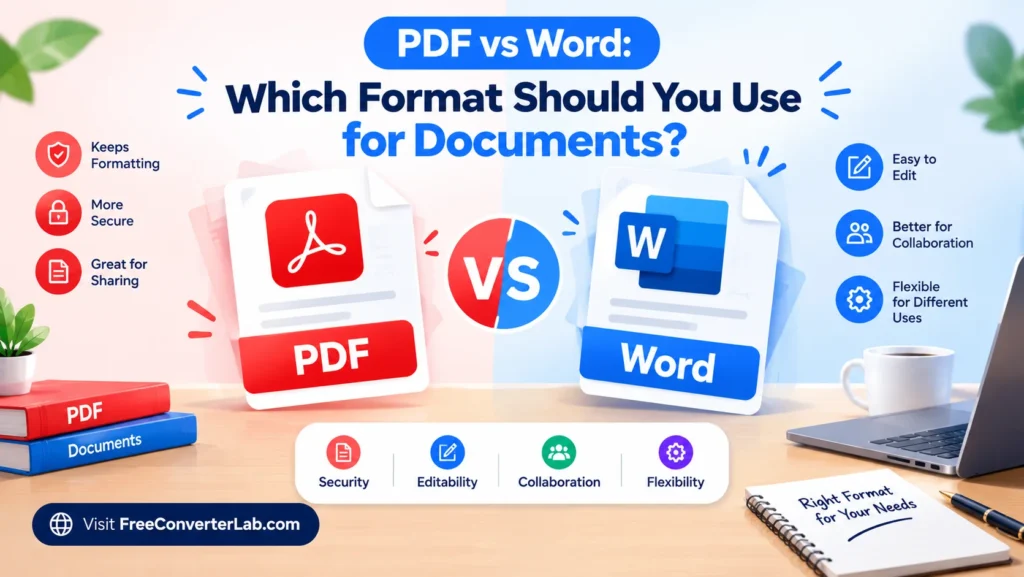
While deciding between PDF and Word may appear quite simple, it relies on the way you intend to edit the document, share it, print it or store it. Both formats are utilized in schoolwork, business reports, resumes, contracts, forms, and other professional reports. Both, however, possess their own sets of strengths, yet.
Here, PDF vs Word file format is explained to you, its pros and cons, and its use case. You’ll also learn how to convert PDF to Word, should you need a document that’s easy to edit or share.
PDF to Word : https://freeconverterlab.com/pdf-to-word-converter/
Word to PDF : https://freeconverterlab.com/word-to-pdf-converter/
What’s the Difference between PDF vs Word?
The key difference between PDF and Word is that the layout and manipulation of documents differ.
PDF (Portable Document Format) has been created to maintain the look of a document on various devices and operating systems. Fonts, images, spacing and page layouts are generally preserved, which makes it useful to share and print finished documents.
Word documents are used to create and edit content and typically are saved as DOCX files. Microsoft Word offers the tools to edit text, format layouts, insert pictures, share with others, and check revisions.
Remember, when looking at a PDF vs word document, that PDF is for presenting a complete document, while word is for creating and editing.
Below is a quick comparison of PDF vs DOCX:
Feature | Word (DOCX) | |
Main purpose | Sharing finished documents | Creating and editing documents |
Editing text | More limited; depends on the editor | Easy with compatible software |
Formatting consistency | Generally excellent | Layout may vary across apps or devices |
Collaboration | Supports comments and review tools | Strong editing and collaboration features |
Printing | Usually reliable for fixed layouts | May require layout checks |
File compatibility | Opens in many browsers and PDF readers | Requires a compatible word processor |
Forms and signatures | Commonly used for forms and signing workflows | Useful for drafting editing forms |
Best use | Final reports, brochures, and official documents | Drafts, proposals, essays, and documents needing revisions |
This is a comparison that will help you decide on the best choice for your needs.
Advantages of PDF Documents
When a document requires the same look and feels, regardless of where it is opened, PDF is often the format of choice. Here are a few of the key benefits PDF offers over Word.
1. Preserves Document Formatting
PDF files are meant to preserve the paper’s format, such as the fonts, margins, tables, images and page breaks. However, PDF is generally a good option when appearance is important, although rendering may differ slightly for various applications.
2. Ideal for Sharing Documents
PDF is a handy file type that can be opened by most browsers and free PDF reader software. They need not be in Microsoft Word or the same software that was used for the original editing.
When sharing a completed report, invoice, resume, or proposal, PDF may be the preferred choice.
3. Reliable for Printing
PDF maintains page size, spacing and layout when printed. This is great for brochures, forms, certificates, manuals, etc. where it is important the printed output closely resembles the digital copy.
4. Supports Passwords and Permissions
There are PDF tools that enable adding passwords, limiting some functions or even implementing digital signatures. These features may be helpful in securing documents; however, the security is dependent on the settings made and the tools used.
5. Works Well for Final Documents
PDF is good for documents that need to be shown or shared in a complete state. This minimizes the chance of accidental editing and ensures that the recipient receives the same version.
Ideal situations for PDF: final reports, invoices, resumes, contracts, ebooks, printable forms, and documents that must be consistently formatted.
Advantages of Microsoft Word Documents
Word is a great option for creating, editing, and collaborating on documents. Below are some of the advantages of Word over PDF.
1. Easy Text Editing
It is easy to add, delete, or edit text in Microsoft Word. Headings, paragraphs, errors, and sections can be altered without rebuilding the document.
This makes Word a useful file format for documents-in-progress.
2. Flexible Formatting Options
Word has a wealth of options available for changing fonts, colors, margins, page layouts, tables, images, headers and footers. Styles and templates can also be used to ensure consistency in longer documents.
3. Helpful Collaboration Features
Comments, tracked changes and collaboration features are supported in compatible versions and environments on Word. These tools streamline the editing of a document by facilitating its review and revision for teams, editors, teachers, and clients.
4. Better for Reusable Templates
A Word file is helpful to reuse the original structure and content of a report, proposal, letter, or business plan if it is updated on a regular basis.
5. Convenient for Drafting
Word is particularly valuable when the content is still in flux. When writing, writers can work on developing ideas, moving sections around, checking spelling and grammar, and editing the document before exporting a final copy.
When to use Word: when writing essays, drafts, proposals, meeting notes, working together on reports, and when a document has to be changed often, and when you need an editable resume.
PDF vs Word for editing, sharing and printing
When deciding on the best format, you should consider what you want to do with your document.
PDF vs Word for Editing
Generally, the preferred choice is Word as it gives direct access to the text, paragraphs and document structure.
It is possible to edit the PDF with compatible software, but making extensive changes might be less convenient. If you just need to sign a pdf file, highlight text, fill a form or make a minor correction, you may just need a pdf editor.
If the PDF document is quite large, you can find it easier to edit the Word document than the PDF. However, it may not be possible to convert perfectly, with complex layouts, tables or scanned pages.
PDF vs Word for Printing
If the document is already completed, it may be better to use PDF to share it, as it will help maintain the format of the document and is generally accessible.
Use Word if you are seeking someone to read, edit, and add to the document. Sending a DOCX file is generally more convenient if the recipient must make an edit to the document.
PDF vs Word for Business Documents
For documents that will be printed, using PDF is typically the best choice for a document with a consistent page layout. It is useful for preserving page breaks, margins and positioning.
While Word can generate very nice print output, the layout won’t be guaranteed to be the same depending on the fonts used, software versions, printer settings and page setup. Print preview before printing a critical Word document.
- Business documents can be created in PDF or Word.Business documents can be created in PDF or Word.
- If you are looking at PDF vs Word, then choose the one that best suits your business document.
- Business proposals in progress: Word is great for drafting and getting feedback.
- Final business proposals: PDF is helpful to distribute.
- Invoices and statements: PDF is commonly used for sharing and printing.
Useful for colleagues to review the material for edits: Word.
When Should You Use PDF Instead of Word?
Make sure to select PDF if you want to share a finished document, keeping its formatting intact.
PDF is typically the better alternative in the following cases:
- You’re submitting your final resume or job application letter.
- You must send an invoice, receipt or statement.
- You need a report to be displayed in a specific layout.
- You’re creating a document to print.
- You have a brochure, manual or printable guide to share.
- You desire a document that is not as easy to edit on accident.
- Recipients must be able to open the file without a word processor.
If you are asking yourself “Should I send a PDF document or Word document?,” then ask yourself if the person receiving the document will want to edit it. When it comes to finished documents, PDF is typically the better default choice. Word is typically a better choice for collaborative editing.
Remember, PDF is not secure by default and not tamper proof. If sensitive documents, access controls or encryption is required or a suitable secure sharing medium, this should be considered.
When is it appropriate to use Word instead of PDF?
Use Word while the document is still in the process of being developed or changed in the future.
With the exception of exceptional instances, word is generally the preferred choice when:
- Writing an essay, article or research paper.
- Paragraphs and headings must be frequently edited.
- Content needs to be reviewed and revised by several.
- You are designing a business template that can be reused.
- Need to reorder sections or refresh tables.
- I would prefer to utilize advanced word processing features.
- The document is likely to be updated frequently.
When someone explicitly asks for an editable DOCX document, word is also useful. Ensure that the recipient is using the same software before sending, and that the information sent is handled properly and any changes tracked are handled properly.
What File Format for Professional Documents?
There are no right or wrong answers for every situation. Whether editing or presentation is more important, the best document format will differ.
Document type | Recommended format | Why? |
Resume for final submission | PDF, unless another format is requested | Helps preserve layout |
Resume edits for recruiter | Word (DOCX) | Makes revisions easier |
School assignment draft | Word (DOCX) | Supports writing and editing |
Final report | Keeps the presentation consistent | |
Collaborative business proposal | Word (DOCX) | Supports feedback and revisions |
Invoice for a client | Convenient for sharing and printing | |
Printable brochure | Maintains page layout | |
Reusable letter template | Word (DOCX) | Makes future changes easier |
Contract draft | Word (DOCX) | Convenient for revisions |
Finalized agreement | PDF, with appropriate signing tools | Useful for distribution and signing |
If you’re looking at the best choice of file type for professional documents, you should take the recipient’s needs into account first. Some organizations require Word documents for processing, others may prefer PDFs.
What are the reasons to convert Word documents to PDF?
If you have the finished document and want to share it, you can convert Word to PDF. It can keep formatting and open the file on different devices easily.
There are several reasons why you might want to convert word to pdf:
- Maintaining appropriate font, spacing and page breaks.
- Sharing a finished product.
- Creating documents to be printed.
- Emailing an invoice, proposal or report.
- Minimize the risk of unintended alterations of the original material.
When you convert, you should check the layout, any missing images and any blank pages. Once converted, open the PDF and verify that it is correct.
Depending on the supported formats and file limits of the PDF and Word conversion tool, you can convert a DOCX to PDF online without downloading and installing another program.
Why convert PDF to Word for Editing?
At times you get a pdf to make a lot of changes. You can convert PDF to Word to reuse text from another PDF and edit it without having to re-create the document.
It’s particularly helpful for:
- Modifying a report that was created before.
- Using previously developed work in a new proposal.
- When a document is missing from Word, editing it makes use of the original document’s format.If a document is missing from Word, editing uses the format of the original document.
- Identifying and manipulating text.
- Changes to a document of a large magnitude.
But conversion quality will be relying on the PDF. Documents with tables, columns, unusual fonts and complex layout may not convert as well as simple text-based PDFs.
Scanned PDFs can be OCR scanned to recognize text in images. Always proofread the converted file and check its formatting before using it.
How to Convert PDF to Word or Word to PDF
With an appropriate conversion tool, converting between these formats is easy.
Convert Word to pdf online
- Start a Word to PDF converter application.
- Attach your DOC or DOCX file.
- Start the conversion.
- Download the converted PDF.
- Check the layout of the PDF file.
Useful when a document is completed and needs to be passed on or for the preservation of the document’s format.
Convert PDF to Word Online
- Open a PDF to Word Converter.
- Please upload your PDF file.
- Start the conversion process.
- Click on the download image to download the word document that can be edited.
- Read through the text, tables, images and the layout of the pages.
If your original PDF is scanned, then find a PDF converter that offers OCR functionality.
To make things easier, you can check out the respective tools here on Free Converter Lab:
Select the right choice of converter from the set of available options, and review the file formats it supports and privacy details before uploading documents.
Tips for Preserving Document Formatting
If you opt for PDF or Word there are a number of basic tips that you can follow to prevent formatting issues.
- Common fonts: If fonts are not available on another device, they may affect the look of a Word document.
- Review graphics and tables: Ensure graphics stay in place and tables fit on page.
- Check page breaks: Ensure there are no blank pages or headings that are out of place.
- Export final Word document to PDF: If appearance is important, export the final Word document to PDF to minimize layout differences.
- Go through converted files for proofreading: When converting PDF to Word, the spacing, columns, and table structure might also be altered.
- Save the original DOCX file before exporting or converting to another file type: Make sure that the original DOCX file is saved before you export or convert it to another file type.
There are a few things you can do to keep your formatting intact and select the suitable format for your workflow.
Final Verdict: PDF vs Word — Which Should You Choose?
Now it’s time to choose between PDF vs Word based on your purpose.
Use PDF when you need to share, print, or distribute a final document that will be the same format. Use Word for writing, editing, collaborating, and future editing.
In normal use, it is not necessary to select only one. Produce and make modifications to your document in Word, and convert to PDF once you are ready to share. Later, if you need to make a large edit to a PDF, convert it back to Word and double check.
Knowing the difference between PDF and Word is a time-saving solution, avoiding the formatting problems, and choosing the format in which to save the documents is a plus for school, work, and business.
Frequently Asked Questions About PDF vs Word
1. What is the difference between PDF and Word?
PDF was created to keep a document looking the way it was meant to. Word is used to create and edit content. Use PDF for final documents, and Word for subsequent changes.
2. Is PDF better than Word for sharing?
PDF is generally used for sharing completed documents and can be read by most browsers and PDF readers, and formatting is likely to be preserved. Word is best for when the recipient wants to modify the content.
3. Should I send a PDF or Word document?
If the document is final, provide a pdf – and it should remain in the same format. If the recipient needs to make changes or track changes to text, or to work on the text together, send a Word document. Formalize according to the recipient’s preference.
4. When should you use PDF instead of Word?
For consistency in formatting, use PDF for final reports, invoices, resumes, brochures, printable forms, and documents. PDF can also be helpful for a recipient who is supposed to review the document, but is not required to make copies of it.
5. When should you use Word instead of PDF?
Create documents for draft work, essays, proposals, meeting minutes, current work copies, re-usable documents, and documents that frequently need to be edited or shared.
6. What is the difference between PDF and DOCX?
PDF is concerned with the “look” of a document. DOCX is a Word document format that is capable of including editable text, formatting, tables, images, comments and other word-processing capabilities.
7. Does converting Word to PDF change formatting?
When converting from Word to PDF, the page layout is normally retained, although certain fonts may not be available, the page might have unusual settings, elements may not be supported, or the conversion tool may have problems. Before sharing, check the exported PDF for any errors.
8. Can I convert PDF to Word without losing formatting?
Many of the original layouts can be maintained, particularly if it is a simple PDF with just text. Manual correction may be needed after the conversion process for complex layouts, tables, columns and scanned pages.
9. Which format is better for printing, PDF or Word?
PDF tends to be the more secure format when it comes to printing because it has been created to maintain page layout. Word can also be printed as well, but be sure to take a look at the print preview and page setting first.
10. Can I convert PDF to Word or Word to PDF for free?
Yes. There are some online PDF to Word and Word to PDF free converters. Look at the available formats, size restrictions, data privacy policies, and if registration is required before uploading your files.
