
BMP vs TIFF vs JPG: Image Format Differences Explained
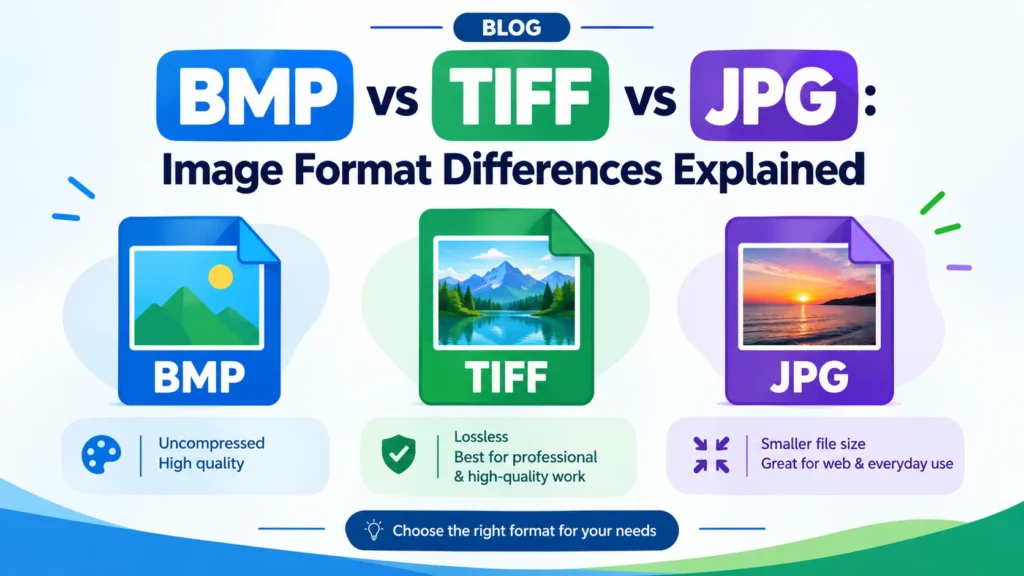
The proper image format can go a long way toward providing high-quality images, small file sizes, adequate storage space, and compatibility. There are several common formats of images, such as BMP, TIFF, and JPG – each of which has a different function. Some work well for retaining image details and others are great for reducing file sizes for sharing photos on the internet.
Here, we’ll explore the BMP vs TIFF vs JPG question, discuss their features and compression techniques and make informed decisions for the use of these image formats in photography, printing, editing and daily use.
These image formats can help you make informed decisions for your photography, design, student or website.
TIFF to JPG :https://freeconverterlab.com/tiff-to-jpg-converter/
BMP to JPG : https://freeconverterlab.com/bmp-to-jpg-converter/
What Are BMP, TIFF, and JPG Image Formats?
Let’s first take a look at the different formats they provide.
1. What Is BMP?
BMP is an acronym for Bitmap Image File. Raster image format used by Microsoft Windows. BMP stores the information in the image in a grid of pix and seldom compress it.
BMP image format simply refers to one that is used to represent images at the level of the individual pixels, though the quality and color depth of the image will vary based on how the BMP file is created.
Advantages of BMP:
- Usually saves images without losing quality (non-lossy compression).
- Respects various colour depths.
- Works well with most Windows applications.
- It’s useful for some graphics, legacy applications.
Disadvantages of BMP:
- Files may be quite big.
- Not so convenient for websites and online sharing.
- Not effective for storing large numbers of photographs.
BMP has its uses for certain Windows programs or when using uncompressed images, but is not ideal for general photo sharing.
2. What Is TIFF?
TIFF is an acronym for Tagged Image File Format. It is used extensively in professional photography, scanning, publishing and image editing where it can retain all the detail of the image.
The TIFF image format explained is a flexible format for images that can be compressed in various ways, have various bit depths, and use various color spaces. TIFF files can either be uncompressed or lossless or even lossy depending on the manner in which they are saved.
Advantages of TIFF:
- Can maintain a high image quality.
- Provides lossless compression choices.
- Ideal for professional image editing and printing.
- Can store high bit-depth images and additional image information.
- Works with multipage documents in compatible applications
Disadvantages of TIFF:
- Generally creates bigger files than JPG.
- May not be compatible with all images and web browsers.
- May be less user friendly for attaching documents and publishing online.
TIFF is a good choice for people who require very extensive imagery for editing, scanning, archiving or printing.
3. What Is JPG?
The JPG – Joint Photographic Experts Group. JPG is one of the most popular photo formats for digital photos, web pages and social media.
The JPG image format explained is a format, which is usually lossy in order to decrease the file size. This strips out some image data to create smaller files, and in most cases cannot be recovered by re-saving the image.
Advantages of JPG:
- Typically creates smaller files than uncompressed BMP or TIFF files.
- Works with almost all modern devices and browsers.
- Great for posting pictures on the internet.
- Helps to minimize website image size and loading time.
- Perfect for both emails and regular photos.
Disadvantages of JPG:
- Lossy – can cause reduction in image quality.
- Multiple editing and saving can result in further compression artifacts.
- Not suitable for images that must be repeatedly lossless edited.
- Does not promotes transparency.
When you’re looking for a balance between quality and file size, the JPG file format is typically the best choice.
BMP vs TIFF vs JPG: Key Differences
The key differences between the BMP and TIFF and JPG formats are compression, file size, image quality, compatibility, and use.
Feature | BMP | TIFF | JPG/JPEG |
Full name | Bitmap Image File | Tagged Image File Format | Joint Photographic Experts Group |
Compression | Often uncompressed | Uncompressed, lossless, or lossy options | Usually lossy |
File Size | Often very large | Often large | Usually small |
Image Quality | Can preserve original pixel data | Can preserve high-quality image data | Depends on compression settings |
Transparency | Limited support; various by BMP variant | Supported by compatible TIFF workflows | Not Supported |
Best for | Certain Windows graphics and legacy workflows | Scanning, archiving, editing, and printing. | Websites, photos, and sharing |
Web compatibility | Limited practical use | Limited compared with JPG | Excellent |
Professional editing | Depends on workflow | Excellent for supported workflows | Useful, but less suitable for repeated lossy editing |
Note: TIFF is not necessarily lossless and BMP is not necessarily uncompressed. File size and quality can be influenced by the settings used when creating a file.
BMP vs TIFF vs JPG File Size
One of the major differences between these image formats is their file size.
BMP File Size
Many BMP images are stored without compression, so that the BMP file can become very large. Actual size will vary based on dimension, colour depth and encoding.
TIFF File Size
The size of TIFF files can range from very small to very large. An uncompressed TIFF may be a large file, but you can save a TIFF with lossless compression and save image data without sacrificing file size. This will vary based on image and compression technique.
JPG File Size
Lossy compression generally results in smaller file sizes and that is the reason why JPG is used. When a photo has a lot of information, it is often possible to compress it drastically without losing the quality of the picture.
For instance, the same image could be 8 megabytes when it is not compressed, and just a small fraction of that size when compressed to a JPEG. Actual results will vary depending on the resolution, content of the image and the export settings.
In terms of BMP vs TIFF vs JPG file size, for photos, JPG is typically the lowest in terms of storage usage and BMP and TIFF are usually used when there is more importance on preserving image data or specific workflows.
TIFF vs JPG Image Quality
The image quality difference between TIFF and JPG is dependent on the way they are saved and how they are going to be used.
When saved in compressed (lossless) mode, TIFF will store image information without further lossy compression. This is helpful for professional editing, scanning and archiving.
In order to save space on the disk, the JPG discards some of the image information. The difference might be hard to detect in daily use at higher quality settings. If you have lower-quality settings, you might notice blurring, blocky patterns, or other compression issues.
Consider these situations:
- Professional editing: If the images will be subjected to professional editing, then TIFF with lossless or uncompressed storage is often preferred.
- Photos online: High quality JPG is usually adequate.
- Repeatedly editing: Save a lossless master file and export a jpg in case of necessity.
- Small file requirements: JPG will be preferred.
Keep in mind that a TIFF that’s created from a JPG can’t get back the irretrievable information lost during the JPG compression. The TIFF can store the pixels that are present, but it cannot create missing information.
Lossless vs Lossy Image Formats
It will be more convenient to select between BMP, TIFF, and JPG when knowing the difference between a lossless and lossy image format.
What is Lossless Compression?
Lossless compression keeps all of the data from the original image and results in a larger file. Once the image has been broken down, the information from the individual pixels can be restored to a perfect replica of the original image.
BMP files can be uncompressed, whereas TIFF can be compressed using the lossless methods LZW and ZIP in compatible workflows.
What is Lossy Compression?
Lossy: discards some of the information from the image to decrease file size. It is a common practice among JPG to apply these methods to store and share photographs.
The downside is that some information is lost when it is compressed, and can’t be completely restored when it’s decompressed.
Quick tip: For important images, keep an original or lossless master file, and then make compressed JPEG copies for the web, email and general use.
Best Image Format for Quality
The quality of the image, its editing process and output determine the best image format.
- Use TIFF for high-quality image storage for professional editing, scanning, or archiving.
- Use BMP where a particular application necessities BMP or if one is using a compatible BMP workflow.
- Use JPG for photographs that are small and have high visual quality.
A lossless TIFF workflow may be more suitable than saving a JPG repeatedly if you are editing an image and want to keep the image data intact. But if you want to use a JPG for everyday use, it can look great when well-encoded.
There is no specific format that will automatically give an image a better original quality. Resolution, source quality, color depth and compression settings are also important.
Best Image Format for Printing
Which is better for printing – TIFF or JPG? TIFF is the preferred format for many professional workflows, where some high-quality production needs are going to be met with images.
But, when exported at an appropriate resolution and quality level, JPG can be a good choice for print as well. Few photo labs and printing services will accept JPG files.
Take the following guidelines into account:
- Professional publishing: TIFF may be used if necessary for the printing or production process.
- For everyday photos: A high-quality JPG can usually be used.
- Large format printing: Pay attention to the image resolution as well as the size and viewing distance in addition to the file type.
- Document Scanning: TIFF is useful for preserving fine detail for scanning documents and having an archival master.
You should always verify the printer format, resolution and color file specs prior to printing a file.
BMP vs JPEG Compression: Which Is Better?
Often the choice between BMP and JPEG compression is simple in real life.
BMP files tend to be uncompressed, creating larger files. The JPG method of compression discards data to save the space needed to represent a photograph.
This means:
- When saved properly, BMP can be saved losslessly with no degradation of pixel information.
- JPG has the ability to drastically cut down file size.
- Overall, BMP is not the most convenient format to upload photos online.
- JPG is supported from quite a few browsers, phones and computers.
In terms of storage space and online performance, JPG is typically more convenient. Use BMP when necessary for a given application, but not for a different application.
For Photography – TIFF vs JPEG
TIFF vs JPEG for photos comes down to personal preference and how you take, edit, store and share photos.
When exporting TIFF files for master images for use by professional photographers, they may be used to preserve detail during editing or for preparing files for print production. TIFF is also applicable to a few specific scanning and archiving processes.
The JPG image format is more suitable for general photography for its compact size, wide acceptance and ease of sharing.
Best practice is to preserve your camera RAW files if they exist, make high quality TIFF files for specific editing or print work flows, and export JPG copies for your website, portfolio, client, and social media.
Both of these formats have their advantages and disadvantages, and there’s no superior choice. Select according to the quality requirements and the storage capacity.
BMP, TIFF or JPG – which is better?
No one is always the winner in all tasks. What is most important to you will influence your decision on which one is best.
Your requirement | Recommended format |
Smaller photo files | JPG |
Sharing images online | JPG |
Professional editing and archiving | TIFF with appropriate settings |
High-quality print workflow | TIFF when preferred by the printer |
Specific Windows graphics workflows | BMP when required |
Everyday photography | JPG |
Preserving data during repeated edits | TIFF with lossless or uncompressed storage |
For sharing images on-line, JPG is typically the best option. TIFF may be more appropriate for professional applications in which image data is important. BMP is still useful in specific cases, but it is not as widely used in the present days for image sharing.
Which Image Format Is Best for Photography and Web Use?
When it comes to photography, JPG is generally the preferred format for sharing and viewing photos, as it strikes a balance between quality, size, and compatibility. TIFF is good for editing and archiving purposes, and for professional print workflow situations where image data is important.
For website needs, the JPG is the most popular and fits for photos. But WebP and AVIF can also be great alternatives as they might produce smaller files without sacrificing quality. PNG is often more suitable for graphics that require transparency or sharp edges.
When optimizing images for your website, take into account what the pictures should look like, how big they will be, the support of the browsers, and the performance needs of your website.
How to Convert BMP to JPG Online
If you are sharing or uploading a BMP image that is too large, you might want to convert it to JPG to be able to share and/or upload it.
All you have to do is use a free online image converter to get it done:
- Use an online BMP to JPG file converter.
- Please upload your BMP image.
- Choose JPG or JPEG as the output file format.
- Start the conversion.
- Click on the downloaded JPG file to download it.
If you want to retain the pixel data from your BMP file, save a copy of it before converting.
How to Convert TIFF to JPG Online
TIFF images can be large files, particularly if they are uncompressed or high resolution scans. TIFF to JPG conversion makes it easier to email, share, upload and display them online.
To convert TIFF to JPG online follow these steps:
- Launch a TIFF to JPG Converter program.
- Please upload your TIFF file.
- Use JPG or JPEG as the output format.
- Start the conversion.
- Download and check the resulting image.
Lossy = some image information may be lost during conversion, due to JPG compression. If you need to edit or print from the original, save it as a TIFF.
To find out what online tools are available to convert your images, check out Free Converter Lab.
Common Mistakes to Avoid When Choosing an Image Format
When choosing BMP, TIFF or JPG, avoid these common pitfalls:
- Only based on quality: The name of a format does not ensure the best result. Compression settings and source image are important.
- Suppose all TIFFs are lossless: TIFF has multiple levels of compression, including lossy.
- Applying BMP to all site images: Large files may result in heavier pages, but offer no practical value.
- Re-saving JPG images repeatedly: Lossy re-exports may cause a gradual decrease in quality.
- Lossless JPG to TIFF to regain quality: Details that are lost in JPG can’t be recovered in TIFF.
- Compatibility: There are some websites or applications that won’t accept TIFF or BMP.
- Losing an original: Make a master copy of important images that you need to save before you compress or convert them.
Conclusion
By understanding the difference between BMP, TIFF and JPG, you’ll be able to select the correct image format for your needs: quality, file size, compatibility or purpose.
BMP can be used for some types of bitmaps, but can generate large files. When used with appropriate settings, TIFF is a versatile option for professional editing, scanning, archiving and printing. JPG is the most viable format to share photos with others, to upload photos, and to post photos online.
JPG is the best format for everyday users because it provides the right degree of quality and file size. TIFF is usually the preferred option for use in professional workflows where preservation of image-data is needed.
Decide what information to put in what format, save original files if quality is important, convert to another format if necessary.
Frequently Asked Questions (FAQs)
1. What is the difference between BMP, TIFF, and JPG?
BMP is usually not compressed and can generate a big file. TIFF is a popular file format for professional image workflows, and it can be compressed in various ways. Usually, JPG compression is lossy, meaning it results in smaller image files for sharing and web, but with some loss of quality.
2. Which is better, BMP, TIFF, or JPG?
For regular photos and sharing online, JPG is the preferred choice. TIFF is preferred for professional editing, scanning, and archiving. BMP may be of value in particular situations where it is needed.
3. Which image format has the best quality?
If no lossy compression is applied to the TIFF file, it can retain high image quality. BMP can also be used to save pixel data properly. The quality of JPG depends on its compression level and can be reduced by increasing the compression.
4. Is TIFF better than JPG for printing?
TIFF is commonly used for professional print workflows since it can retain image data. An excellent JPG can also make excellent prints, however. Follow your printer’s file-format and resolution requirements.
5. Why are BMP files larger than JPG files?
In many cases, BMP files are not compressed, and JPG is using lossy compression to compress the image data. This makes it possible to typically end up with much smaller pictures than similar uncompressed BMP files.
6. Is TIFF always a lossless image format?
TIFF supports uncompressed storage, lossless compression and certain lossy compression options. Look at the compression setting in which the TIFF was created.
7. Can converting JPG to TIFF improve image quality?
No. The JPG to TIFF conversion process doesn’t recover its lost information during JPG compression. It can save the existing image data, which has been already decoded, in a different format, but it cannot create lost information.
8. When should you use BMP, TIFF, or JPG?
Use BMP for compatible bitmap applications, TIFF for professional editing and archiving, and JPG for sharing photographs, uploading images, and for daily use on the internet.
9. How can I convert BMP to JPG online for free?
Download a free online image converter, upload your BMP file and choose JPG as your output format. If you will need this file for future use, save and preserve the original file.
10. Which image format is best for photography and web use?
Typically, you should choose a JPG file for photographs, since they’re more compact and widely supported. Sometimes TIFF is a better choice for professional editing and archiving. WebP and AVIF are also good options for optimizing images on websites.
