
100% Free QR Code Generator – Create Custom QR Codes Online
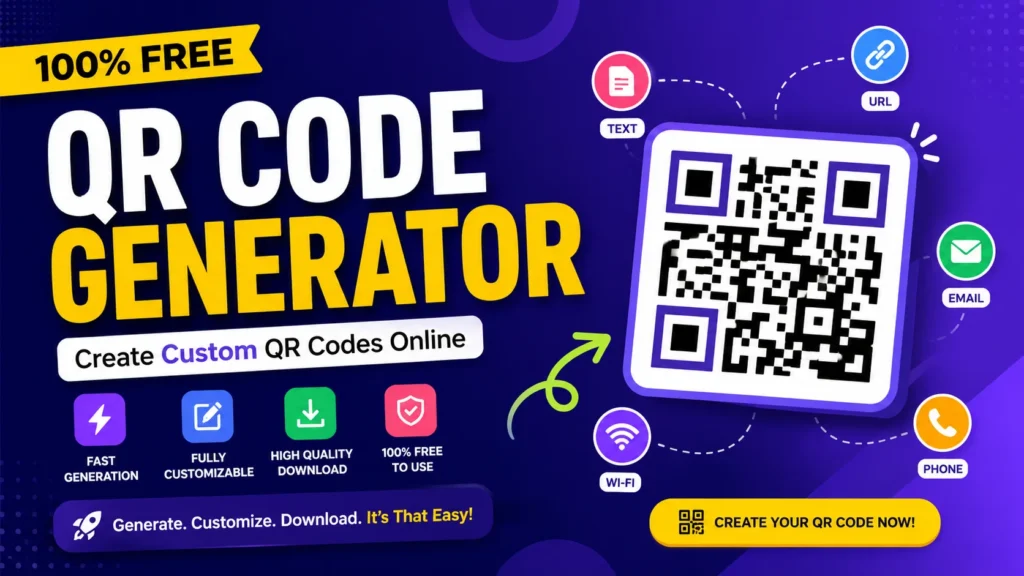
QR codes have revolutionized the process of accessing digital information. Users can scan a QR code with their mobile phone rather than typing in a long web address, searching a social media profile, or entering contact information. QR code generator is a tool that helps you quickly and easily generate codes. In just a few seconds, you can convert a website link, text, contact details, Wi-Fi info, email, phone number, or social profile into a scannable QR code.
Free Converter Lab offers a 100% free QR code generator, which is available directly in your browser. Your code can be styled, add a logo, select different QR styles, and download the design to use in digital or print.
QR Code Generator :
https://freeconverterlab.com/qr-code-generator/
QR Codes are still useful for a number of reasons.
QR codes come with some advantages in that they eliminate friction in the physical and digital worlds.
Suppose you come across a restaurant poster that has a long web address. You don’t need to type it into your phone; simply scan the QR code and open the page right away.
The same applies for the following:
- Business websites
- Product pages
- Digital menus
- Event registration
- Contact information
- Wi-Fi access
- Social media profiles
- Marketing campaigns
- Online stores
- Educational resources
A good QR code generator converts this data into an accessible format by scanning it with a QR code reader.
Create a QR Code Without Design Skills.
Anyone can design a professional-looking QR code: you don’t have to be a graphic designer
The basic process is simple with the online generator:
Click on → Customize → Generate → Download
First, write the information that you want in your QR code. Then make modifications to its appearance as necessary, create the code, and download it to your project.
Free Converter Lab can convert website URLs, text, email addresses, phone numbers, SMS, Wi-Fi info, social profiles and more.
You can include any information in the QR code you like.
The value of a QR code relies on the info that you put in it. The kind of content that can be used for various projects varies.
Website Links
Generate QR code that redirects to a website, landing page, portfolio, online store or product page.
Contact Details
Provide an easier way for customers or professional contacts to get hold of your phone number or email address or other contact details.
Wi-Fi Information
You can use a QR code to make it easier to share Wi-Fi information, so that visitors don’t have to type a password to access the network.
Text
Share instructions, short messages, product information or other text information.
Email and Phone Numbers
Set up shortcuts to open an email address or telephone-related action on supported devices.
Social Profiles
Create a social media profile or page URL that can be scanned instead of having to search for manually.
Creating a QR Code Online using Your Laptop.
It is possible to design a QR code in a few simple steps.
Select Your Content
Consider the “after” picture after the scan. It might be a webpage, contact details, information about the WiFi, text, or other supported format.
Personalize the Design
Tune the appearance of the code to the project. Colors, gradients, logos and QR dot styles are available in Free Converter Lab.
Generate the Code
When your information and design is finalized, create the QR code.
Download and Test
If you are publishing or printing the result, please download it and scan it with your smartphone. It is particularly important if the QR code is going to be displayed on any permanent item such as an advertisement, packaging, a business card, etc.
Create unique and memorable QR codes for your brand.
QR code doesn’t have to be entirely meaningless.
Customization may help fit in with existing graphics when creating one for a business or marketing campaign.
Try these:
- QR code colors
- Background colors
- Gradients
- Logo placement
- Dot styles
- Rounded patterns
Free Converter Lab offers multiple QR dot styles and the user can place their logo on the QR code.
But customization doesn’t mean compromising scanability. A beautiful QR code is nothing if the smartphone can’t read it well.
QR Code Generator for Small Businesses
QR codes can help small business with everyday customer interactions.
Consider, for instance, a business can put a QR code on a printed card that leads to the company’s website. One could be installed on product packaging to help a shop reduce waste from the packaging, or on tables in a restaurant to allow access to a digital menu.
Other possibilities include:
- Customer feedback pages
- Contact forms
- Business websites
- Product information
- Special offers
- Digital catalogs
- Store locations
- Social media pages
A QR code generator can, therefore, be a very simple link between the printed marketing material and the online content.
QR Codes for Social Media Marketing
QR codes can also be used for social media links.
Instead of a long profile URL, a QR code can be created which will direct the user to the profile page it is linked to.
This can be effective with:
- Facebook pages
- Instagram profiles
- YouTube channels
- LinkedIn profiles
- TikTok accounts
- Creator pages
Facebook QR Code Generator
When people are looking for a Facebook QR code generator, they are typically looking to convert a Facebook profile or page URL into a QR code.
It’s a simple process: copy the URL from Facebook, paste it in a QR code generator, generate the code, then test it before printing out on a promotion.
You can then use the code on business cards, posters, flyers, packaging or signs.
Canva QR Code Generator vs. Dedicated Tools
If you are currently creating a flyer, presentation, poster, or social graphic in Canva, you might want to use the Canva QR code generator.
But there’s a distinction between creating the full visual and creating the QR code.
A special QR code generator will provide you with QR-specific controls including:
- Content input
- QR colors
- Background settings
- Logo integration
- Dot styles
- Download options
However, if that fits your project, you can design the QR code separately and then incorporate it into your Canva design.
Wix QR Code Generator for Websites
Having a Wix QR code generator can be useful for website owners who want to direct their visitors to a Wix website or page by scanning it.
A QR generator that’s specifically connected to Wix isn’t necessarily required. A valid Wix page’s URL can be used to generate a code with any standard QR generator.
For example, you could create a QR code for:
- A Wix homepage
- A product page
- A booking page
- A contact page
- An event page
- A landing page
Copy the page URL, paste it into the generator, generate the QR code and test the destination site before using it.
What Is a Bulk QR Code Generator?
If you have to generate QR codes for a lot of people, you should use a bulk QR code generator.
For instance, an organization could require a different QR code for each of hundreds of products, documents, locations or webpages.
Bulk generation can save a lot of time because you will not have to redo the entire generation process for each code.
For a single or a small number of QR codes, however, a standard online QR code generator might be easier and faster.
QR Codes may be used for both print and digital use.
QR codes can be used both in online and offline settings.
Printed Materials
You can place QR codes on:
- Business cards
- Flyers
- Posters
- Brochures
- Product labels
- Packaging
- Menus
- Event tickets
Digital Materials
You can also add them to your:
- Websites
- Presentations
- Digital advertisements
- PDFs
- Online catalogs
- Social media graphics
- Email campaigns
For digital projects or to be ready for printing, Free Converter Lab offers downloadable QR codes.
Learn how to create QR codes that are easily scanned.
The appearance of a QR code is just secondary to its function.
Follow these guidelines:
Maintain Good Contrast
Adequate contrast should be used between the QR pattern and background, allowing scanners to clearly detect the pattern.
Avoid Making It Too Small
The QR code can be hard to scan, especially when printed.
Inserting patterns into the flow of the document.Adding patterns to the document.
When adding a logo, be careful not to add too much to the QR structure.
Check the Destination
Be sure to confirm the encoded URL or information before you publish a QR code.
Test the Final Version to make sure it does not contain any errors.
You should scan the real downloaded or printed copy of the document, not just the preview.
Static QR Codes vs. Dynamic QR Codes
It’s important to know the difference between static and dynamic codes before selecting a QR solution.
A static QR code contains information in the code itself. When the destination changes, you will typically have to make a new QR code.
The dynamic QR code contains an intermediate URL that can be modified via the service that handles the QR code. A few dynamic solutions also offer monitoring and analytics.
Static QR Code | Dynamic QR Code |
Information is unlikely to be changed. | Destination data may be changed many times. |
Simple to create | Usually managed through a service |
Often available for free | May involve subscription costs |
Useful for campaigns and changing destinations | Good for permanent information |
A static QR code can be used for a simple website link, contact detail or information that won’t change over time.
Common QR Code Mistakes
Making a QR code is easy, but there are some common mistakes that can make it less effective.
If you use a wrong URL, it will cause the website to crash.
If it is not the right destination, users will be directed to the incorrect destination.
Poor Contrast
Scanning may be problematic when the contrast is low.
Excessive Customization
If too many elements are added to the design, it will interfere with the QR pattern.
For most requirements, print at low quality to reduce costs.
The code is not being scanned correctly and should be blurry or distorted.
Not Testing Before Publishing
Always perform a final scan before distributing.
QR codes can be made for free.
Yes. There are a number of free ways to create static QR codes. In Free Converter Lab, you can use the QR code generator to create QR codes for free without the need for signing up. There is also customization options and downloadable output options.
Consider the advanced capabilities, like campaign analytics, tracking, or customizable destinations, that may be available based on your QR service provider.
When is the Best Time to Use a QR Code?
A QR code is most useful when it eliminates the need for users to type the information into their device.
Consider using one when you want to:
- Share website in a flash!
- Provide contact information
- Promote social profile
- Share Wi-Fi details
- Provide customer with a menu.
- Link print ads with online marketing.
- Provide product information
- Simplify event registration
A QR code may not be of great value to those who already have that information digitally. The best QR codes address a particular access issue.
Final Thoughts
QR codes are a straightforward but potent means to make digital information accessible from print and tangible resources. From website promotion to sharing contact information, social media connection to marketing materials, you can enable ease in a variety of tasks with the right QR code generator.
Need to generate unique QR codes for a specific purpose? Free Converter Lab can help you do so without registering for any service. You can type in text, customize the QR code with your logo and colors, select a QR style, and download the code for your project.
